
Last updated:
You spent all week on your essay. Before you submit, you paste it into a free AI checker, and Sapling says a big chunk of it looks AI-written. You did not use AI. Now you are panicking. Is the Sapling AI detector accurate? Will your teacher see the same thing? And what are you supposed to do now?
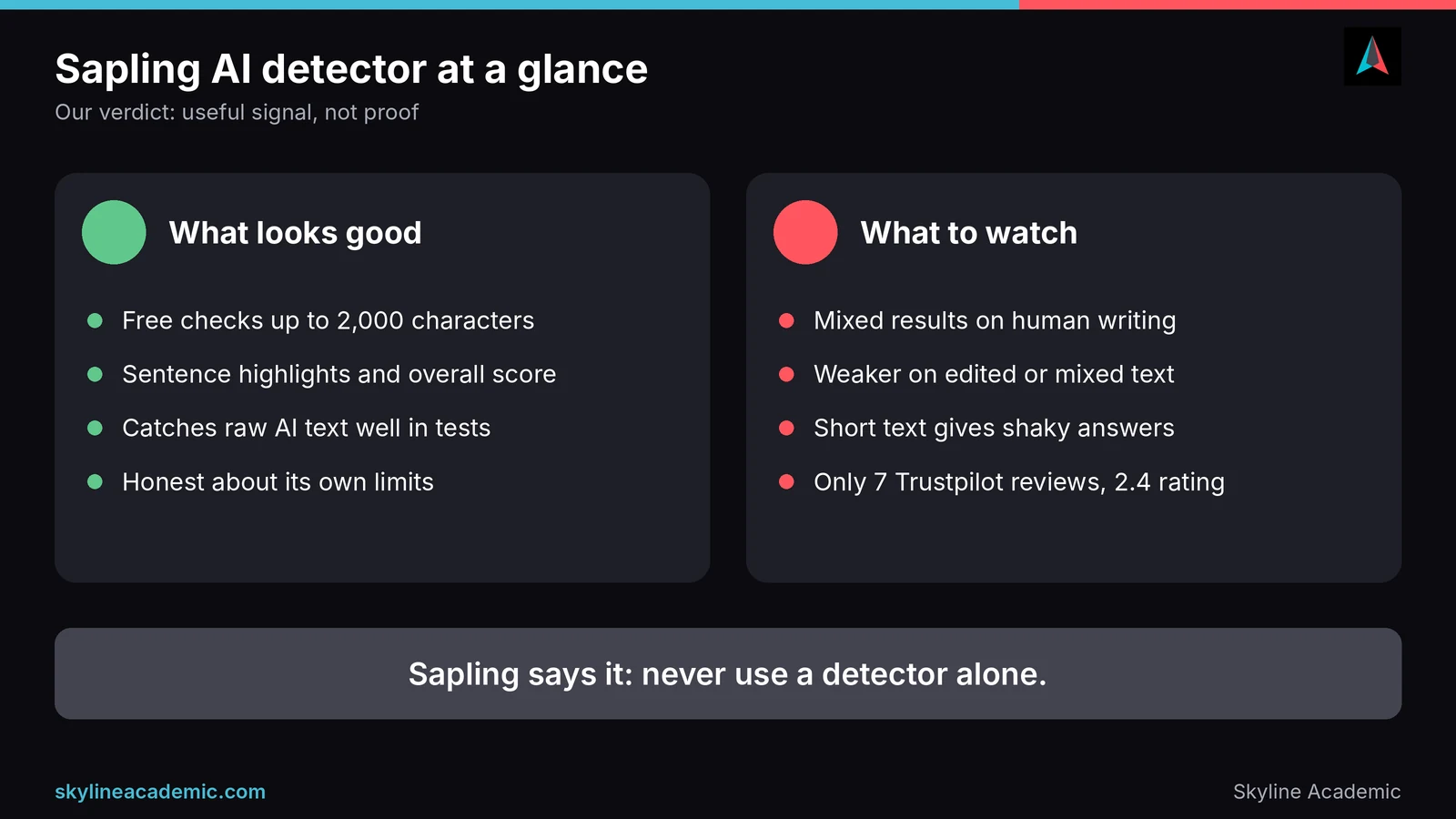
Here is the short answer. Sapling’s AI detector is quick, free for short texts and good at spotting raw AI writing. But independent tests give very mixed results on human writing, from almost no false flags in one test to flagging 4 out of 9 human texts in another. Sapling itself says no detector, including its own, should be used as a standalone check. So treat a Sapling score as a rough signal, never as proof.
What Sapling AI detector is and how it works
Sapling is a company best known for its AI writing assistant, which helps with grammar, autocomplete and rewording, especially for customer support teams. Its AI content detector is one of several tools it offers, alongside a browser extension and an API for developers.
The detector uses a Transformer model, the same kind of technology behind tools like ChatGPT. According to Sapling, instead of generating words, it estimates the probability that each token, roughly a word or part of a word, was written by AI. It then combines those scores into a score for each sentence and an overall score for the whole text. Sapling says it can detect text from ChatGPT, GPT-5, Claude, Gemini, Qwen and DeepSeek, and that it regularly retrains the model as new AI tools appear.
It also works in several languages, including English, Spanish, Portuguese, French, German and Japanese. Sapling notes that it has no Italian or Dutch training data yet, and that other languages are scored by its English model, which is less reliable.
How to read Sapling’s results
Sapling gives you two things: an overall score and sentence highlights.
- The overall score shows how likely it thinks the whole text is AI-generated. Higher means more AI-like.
- Sentence scores use the same scale, and Sapling highlights the sentences that look most AI-like.
- Mixed text can be tricky. Sapling warns that a text which is partly AI-written can get a low overall score while some sentences score high. So always look at the highlights, not just the headline number.
- Length matters. Sapling says the detector “becomes much more accurate after 50 or so words.” Very short texts give shaky results.
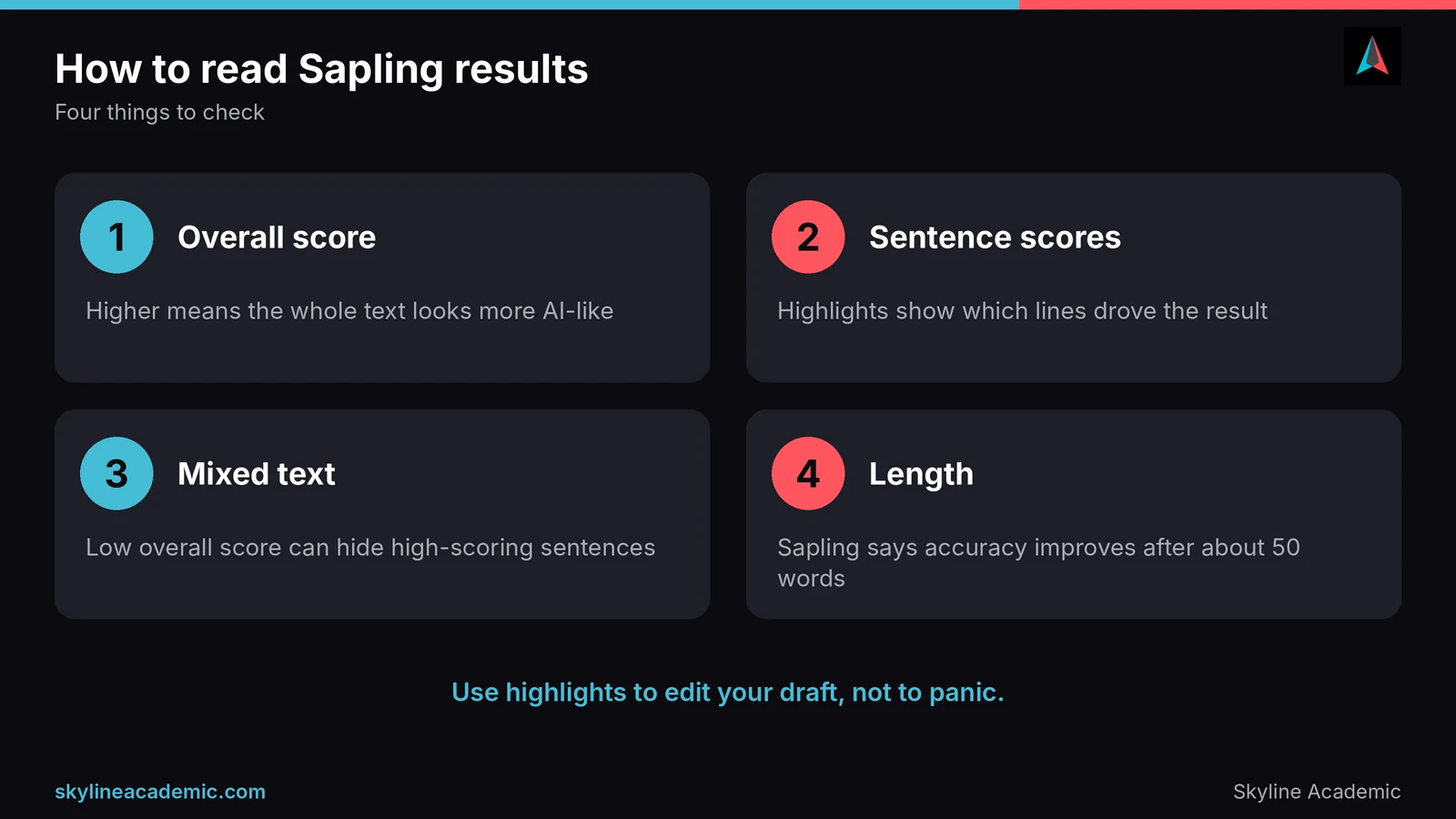
The most useful way to use these results is as a guide for editing your own draft. If a sentence is highlighted, read it out loud. Does it sound generic? Could you add your own example, opinion or detail from your course? That is a better reaction than panicking about the number.
Sapling AI detector pricing and free limits
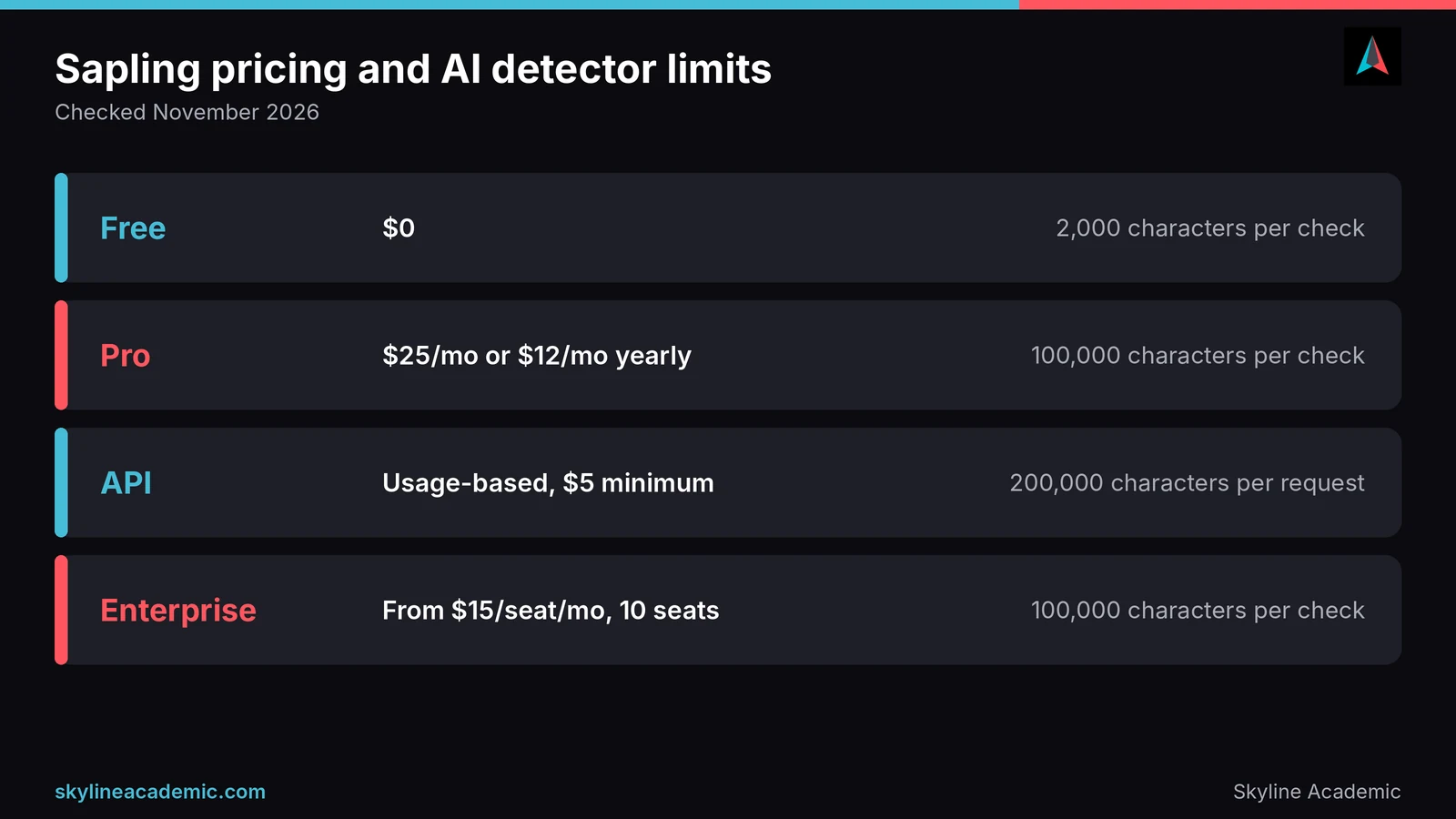
Sapling’s AI detector is free to try, but the free version only checks a short piece of text at a time. Here is how the plans looked on its pricing page in November 2026.
| Plan | Price | What you get for AI detection |
|---|---|---|
| Free | $0 | Up to 2,000 characters per check (about 300 to 400 words), up to 5 files per batch |
| Pro | $25 a month, or $12 a month billed yearly | Up to 100,000 characters per check, up to 10 files per batch, free 1 month trial once per account |
| API | Usage-based, $5 minimum | Up to 200,000 characters per request, results returned as data |
| Enterprise | Custom, from 10 seats at $15 per seat a month | Up to 100,000 characters per check, for teams |
For most students, the free plan is enough to check a few paragraphs, but a full essay usually needs to be split into chunks. That matters, because splitting a text can change the result. If you are thinking about Pro, use the free trial first, and note when it ends so you can cancel if you do not need it.
Is Sapling Pro worth it for students?
For most students, probably not on its own. The free plan already shows you sentence highlights, and you can check an essay in chunks. Pro makes sense if you regularly check long documents, need batch uploads, or also want Sapling’s writing assistant features. If you do sign up, the yearly price works out much cheaper per month, but only commit after the free trial shows you the results are useful for your kind of writing.
Is Sapling AI detector accurate? What the evidence shows
This is the big question, and the honest answer is that the evidence is mixed. We have separated company claims from outside tests so you can see the difference.
What Sapling claims
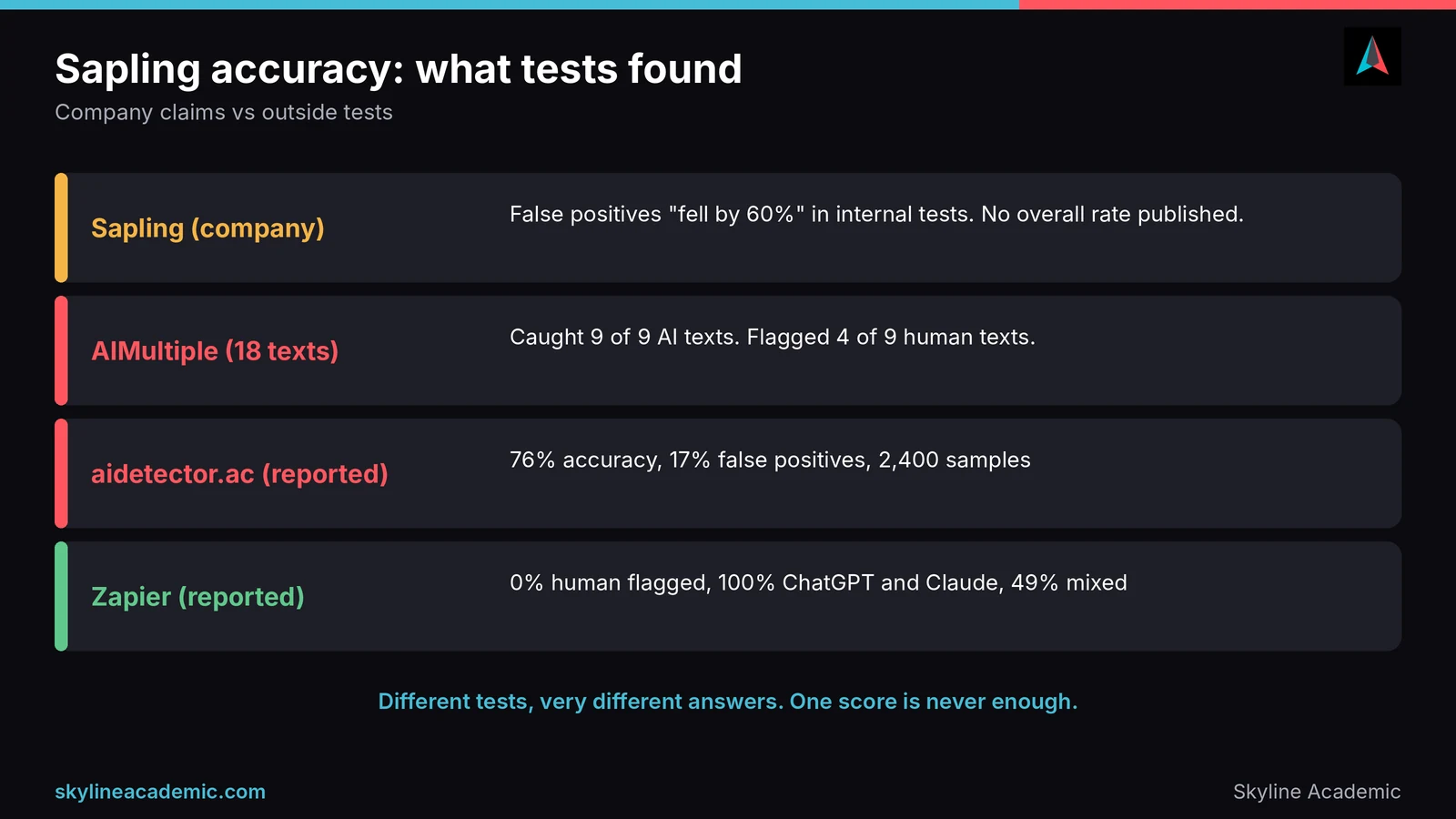
Sapling does not publish a single headline accuracy figure on its detector page. Its changelog says that in internal tests, “false positives fell by 60%” after an update, which is a relative improvement, not an overall rate. A third-party review reports that Sapling’s marketing has claimed 97% accuracy with under 3% false positives, but we could not find that figure on the current detector page.
To its credit, Sapling is open about limits. Its FAQ says the detector “can have false positives,” that short, general or essay-like text is more prone to them, and that “Accuracy varies with the dataset, text length, and decision threshold.” Most importantly, it says no AI detector, including its own, “should be used as a standalone check.”
What independent tests found
Outside tests tell very different stories, which is itself useful information.
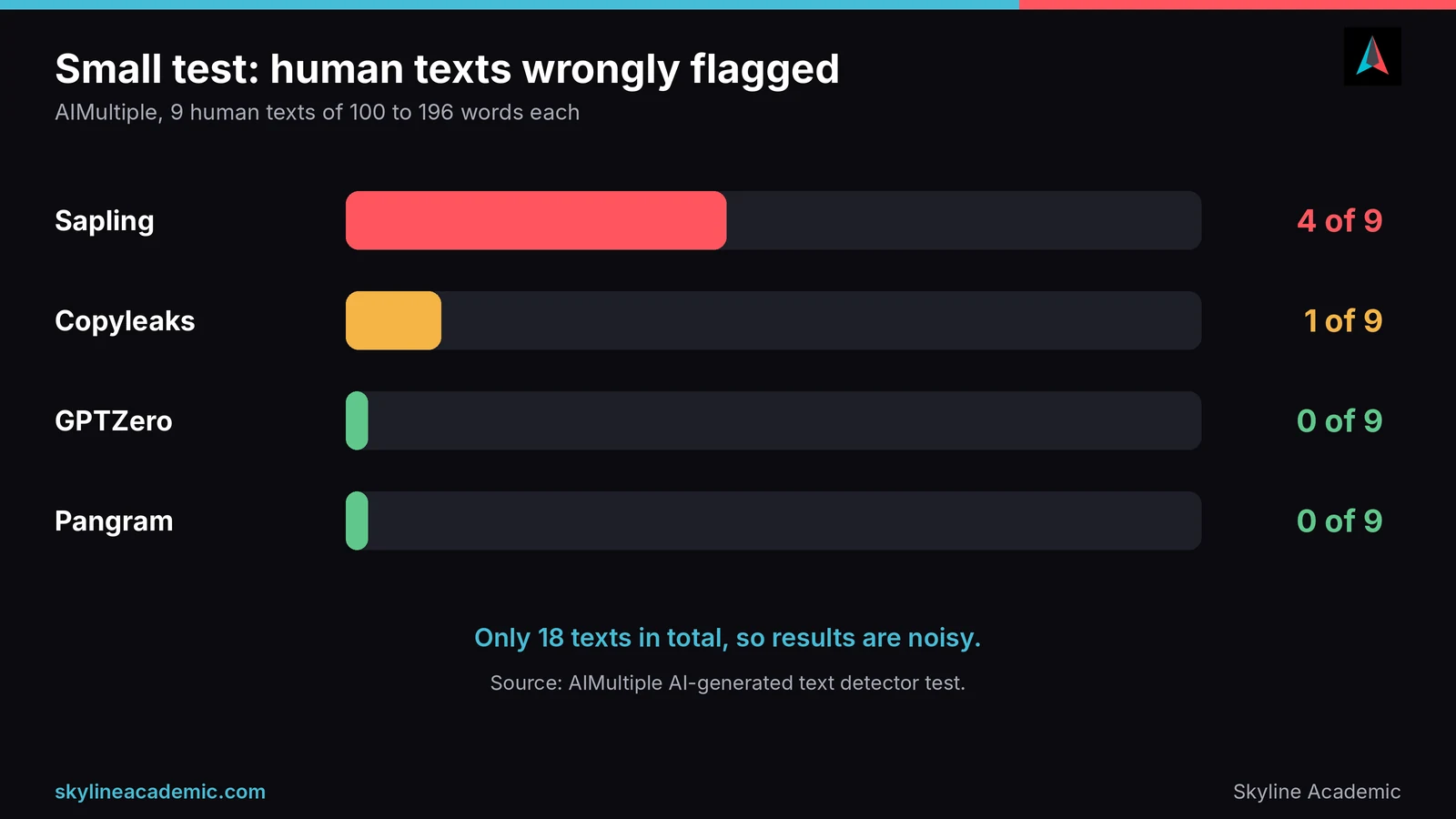
In a small test by AIMultiple, Sapling caught all 9 AI-written texts, from ChatGPT, Gemini and DeepSeek. But it also flagged 4 of the 9 human-written texts as AI, about 44%, the highest false flag rate of the tools with stated rates in that test. GPTZero and Pangram flagged none of the human texts. The sample was only 18 texts of 100 to 196 words, so the results are noisy, but it is a warning worth taking seriously.
A Fast.io review reports a larger March 2026 benchmark of 2,400 samples, run by aidetector.ac, where Sapling scored 76% overall accuracy and a 17% false positive rate, last of the six detectors compared. In the same report, accuracy dropped to 58% on AI text that had been run through a humanizer tool. We have not seen that benchmark’s raw data, so treat it as reported.
Not every test was negative. A summary of detector benchmarks by BestWriting cites a 2026 Zapier test where Sapling flagged 0% of human-written content, caught 100% of ChatGPT and Claude text, and caught 49% of mixed human and AI text. The same page notes that a benchmark published by Pangram, which makes a competing detector, found Sapling caught 6 of 9 AI samples. We could not open the original Zapier article, so this is a secondhand summary.
What this tells you
Put together, Sapling looks good at catching plain, unedited AI text, weaker on mixed and edited text, and inconsistent on human writing. Some tests saw almost no false flags, others saw a lot. The difference likely comes from the type and length of text tested. For you, the lesson is simple: one Sapling score on one piece of writing is not enough to decide anything.
How to test Sapling yourself before you trust it
The best way to judge any detector is to try it on writing you already understand. Take a piece you know you wrote yourself, ideally a few hundred words long, and check it. Then check one short paragraph from the same piece and compare the two scores. Next, change a few words and check again to see how steady the result is. Finally, run the same text through a second detector and note where they disagree.
If Sapling gives sensible, steady results on your own writing, it may be a useful extra check for you. If the scores swing a lot, or your own work comes back as heavily AI, use it only as a rough hint, and rely on your drafts and notes instead.
A simple rule for reading any detector claim
When a detector says it is highly accurate, ask three questions. Who ran the test? How long and what kind of texts were used? And can anyone outside the company repeat it? A strong number with no outside check is a reason to test the tool yourself, not a reason to trust it with your grades. That is the standard we try to apply to every detector we review, including our own.
What Trustpilot shows
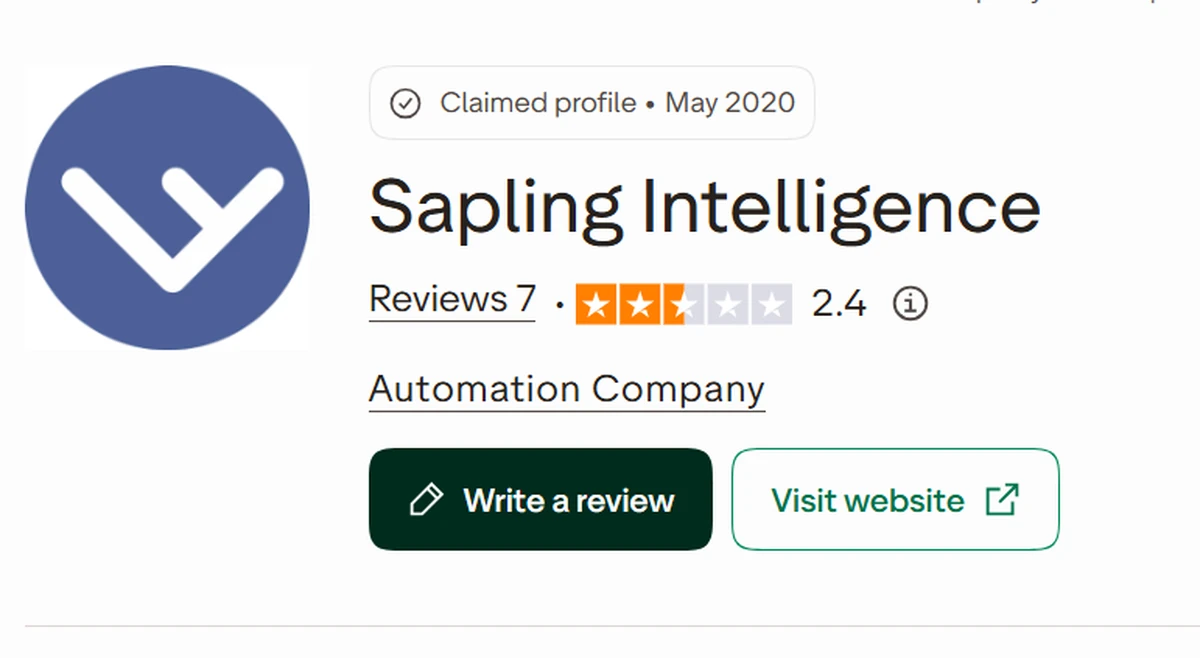
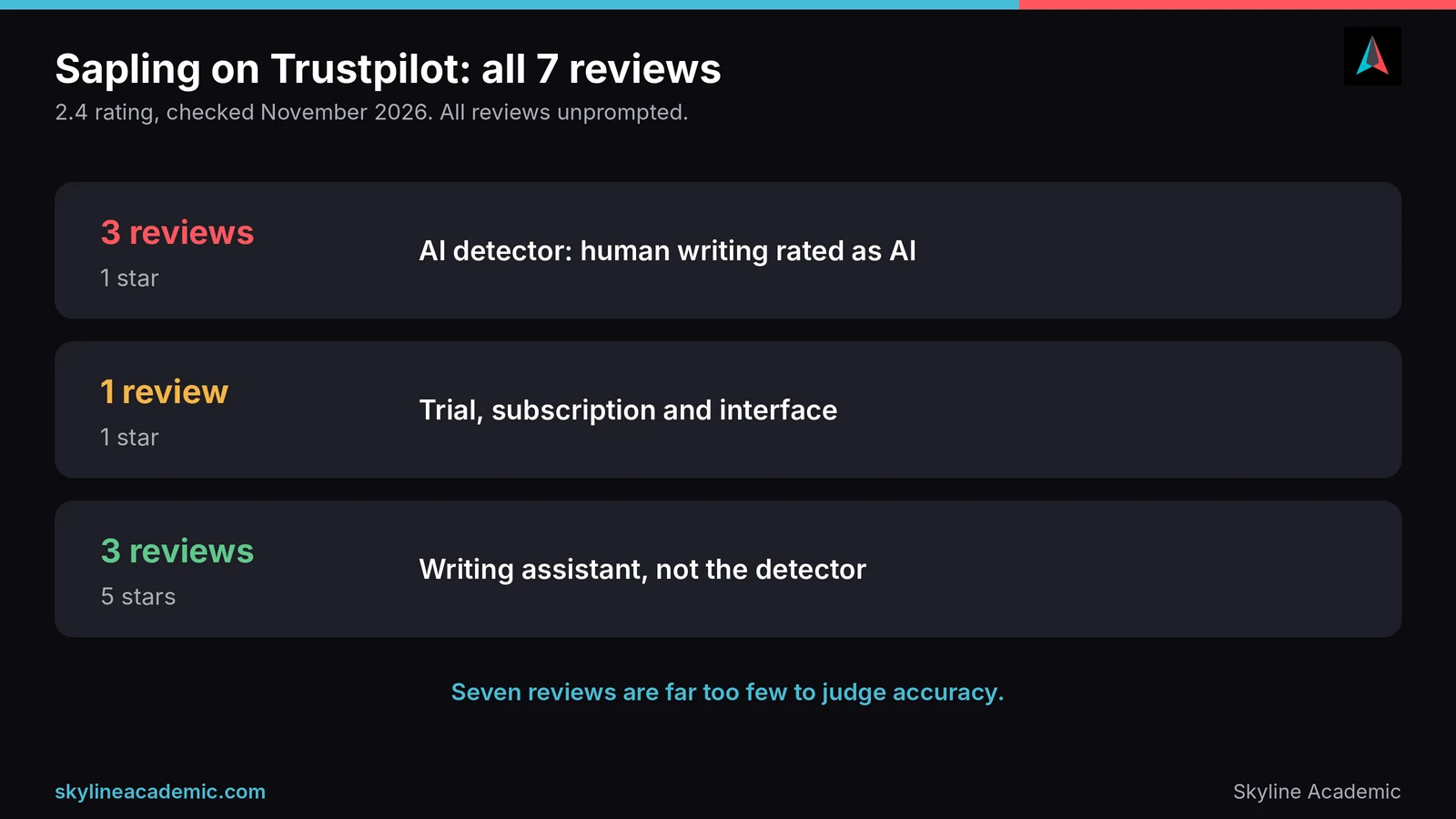
Sapling’s Trustpilot profile, listed under the company name Sapling Intelligence, has a 2.4 rating from just 7 reviews, checked in November 2026. That is far too few reviews to judge accuracy, and not all of them are about the detector.
When we read them, three 1 star reviews were about the AI detector. They describe human-written work being rated as heavily or fully AI, and in one case a manuscript flagged by a reviewer using Sapling while other detectors gave much lower scores. A fourth 1 star review was about the trial, subscription and interface. The three 5 star reviews, from 2020 to 2024, all praised the writing assistant, not the detector. All seven were unprompted, meaning the reviewers were not invited by the company. Sapling replied to two of the complaints, saying the detector output is only one cue and that human judgment should decide.
Why Sapling or any detector can misjudge honest writing
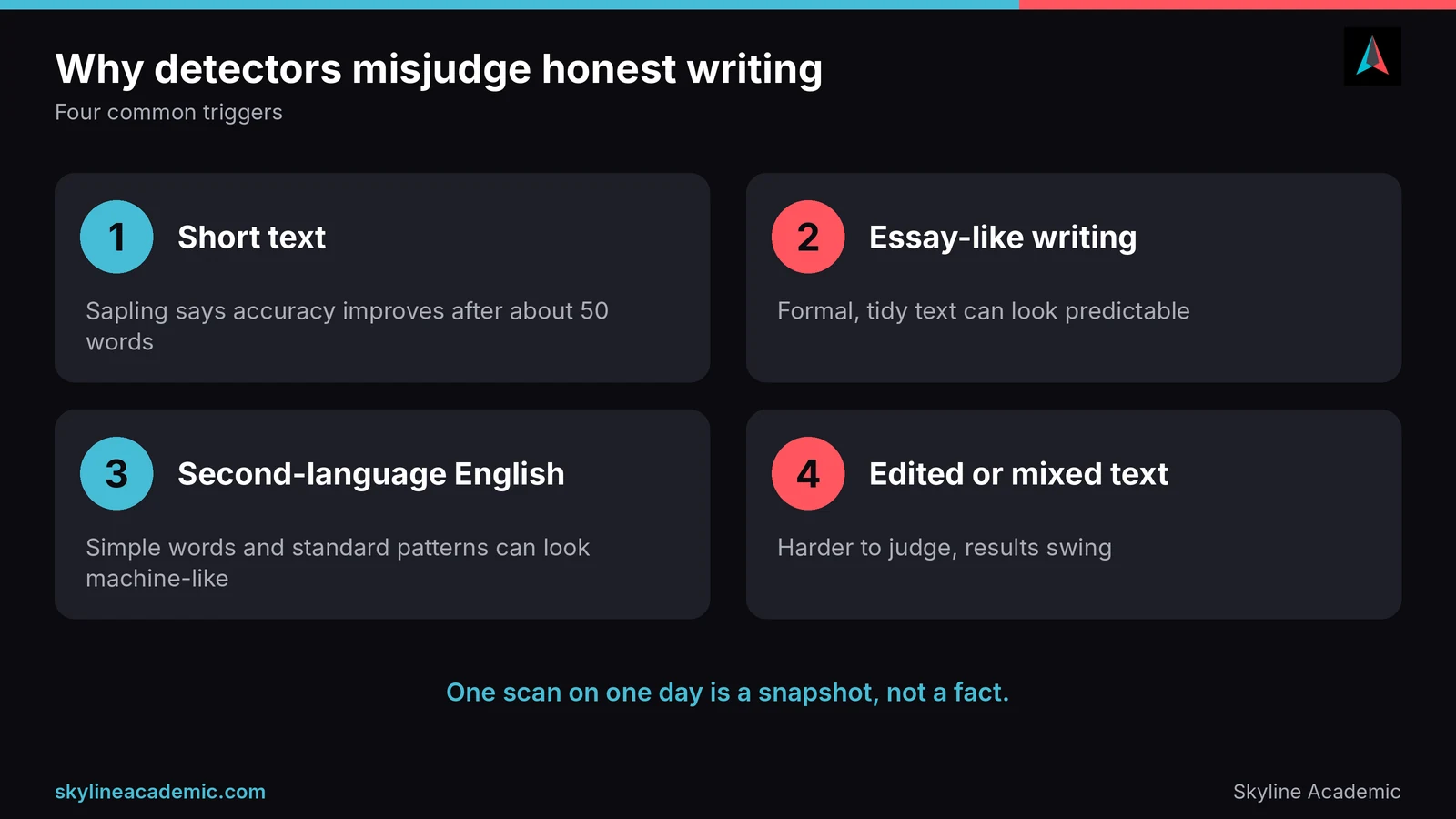
Short text gives shaky answers
Sapling says its accuracy improves after about 50 words, and its free version caps each check at 2,000 characters. If you check only a few sentences, or split an essay into chunks, results can jump around.
Formal and essay-like writing looks predictable
Sapling itself says short, general or essay-like text is more likely to be flagged. Clear, tidy academic writing can look “too smooth” to a detector, especially if it follows a template. Our guide on AI detection false positives explains why this happens.
Non-native English writers face extra risk
A well-known Stanford study found that seven detectors labeled 61.22% of essays by non-native English writers as AI generated. Sapling was not named in that study’s summary, but the pattern is a known risk for any detector that looks for predictable wording. Read our guide on AI detection for non-native English students for practical steps.
Edited and mixed text confuses detectors
Text that mixes your writing with AI suggestions, or that has been heavily edited, is harder to judge. The reported benchmark above found Sapling’s accuracy dropped sharply on humanized text, and the Zapier summary showed it caught only about half of mixed text.
Sapling vs other AI detectors
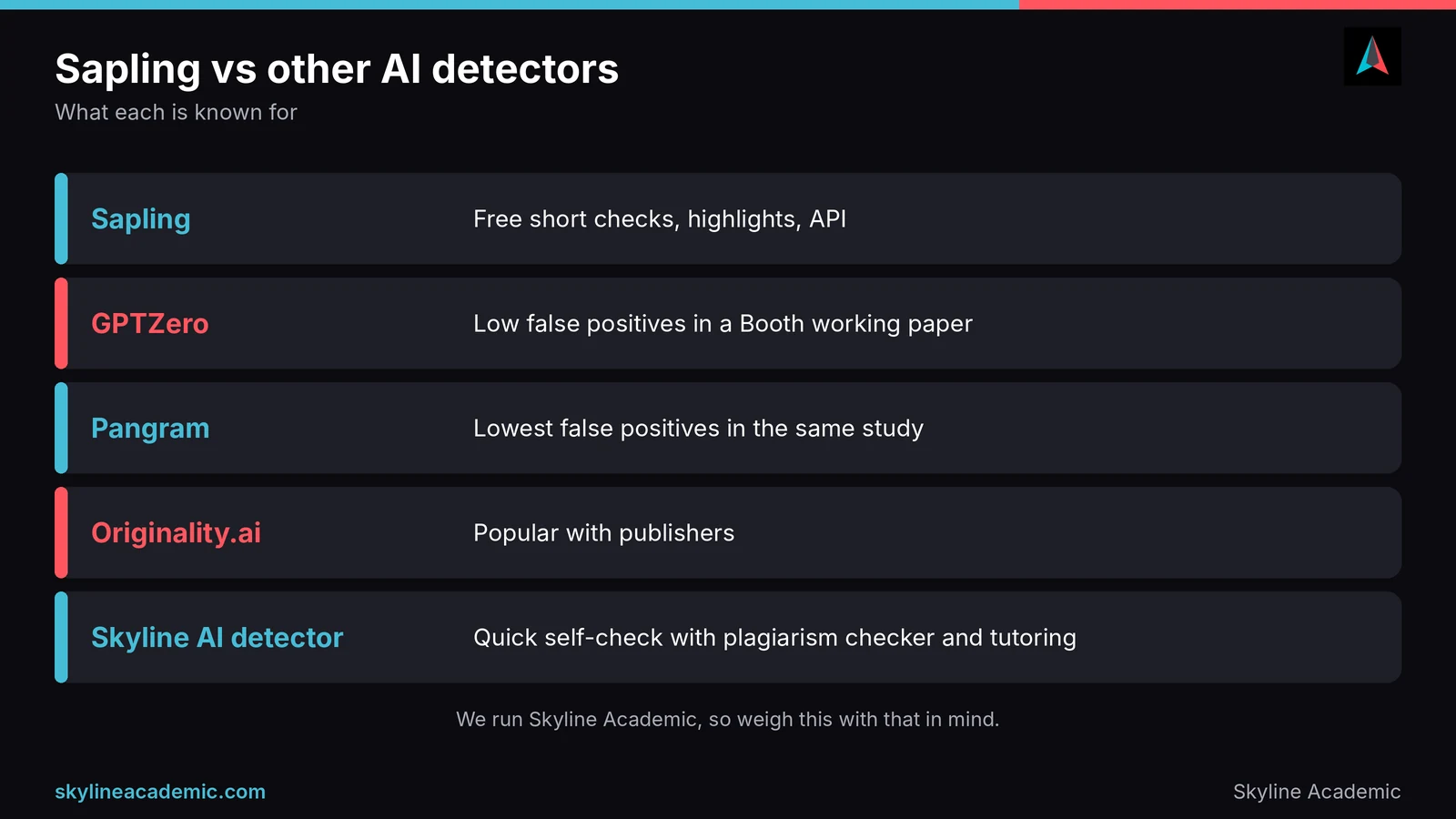
No detector is perfect, and each one has different strengths. We also run our own AI content detector, so weigh this comparison with that in mind. We are not claiming ours beats any of these.
| Detector | Known for | Watch for |
|---|---|---|
| Sapling | Free short checks, sentence highlights, API, many languages | Mixed independent results on human writing |
| GPTZero | Low false positives in a Chicago Booth working paper | Its data handling in that study was disputed |
| Pangram | Lowest false positive rate in the same Booth study | Users still report false flags on short text |
| Originality.ai | Popular with publishers | Missed more AI text in the Booth study |
| Proofademic | Clear score and signal breakdown | Strong company claims, little independent testing |
| Skyline AI content detector | A quick self-check alongside our plagiarism checker and tutoring | Like every detector, a signal and not proof |
For deeper comparisons, read our reviews of GPTZero accuracy, Originality.ai accuracy, the Pangram AI detector, Proofademic AI detector and Winston AI accuracy. One lesson repeats across all of them: test your own writing on more than one tool before you trust any single score.
Who should and should not use Sapling
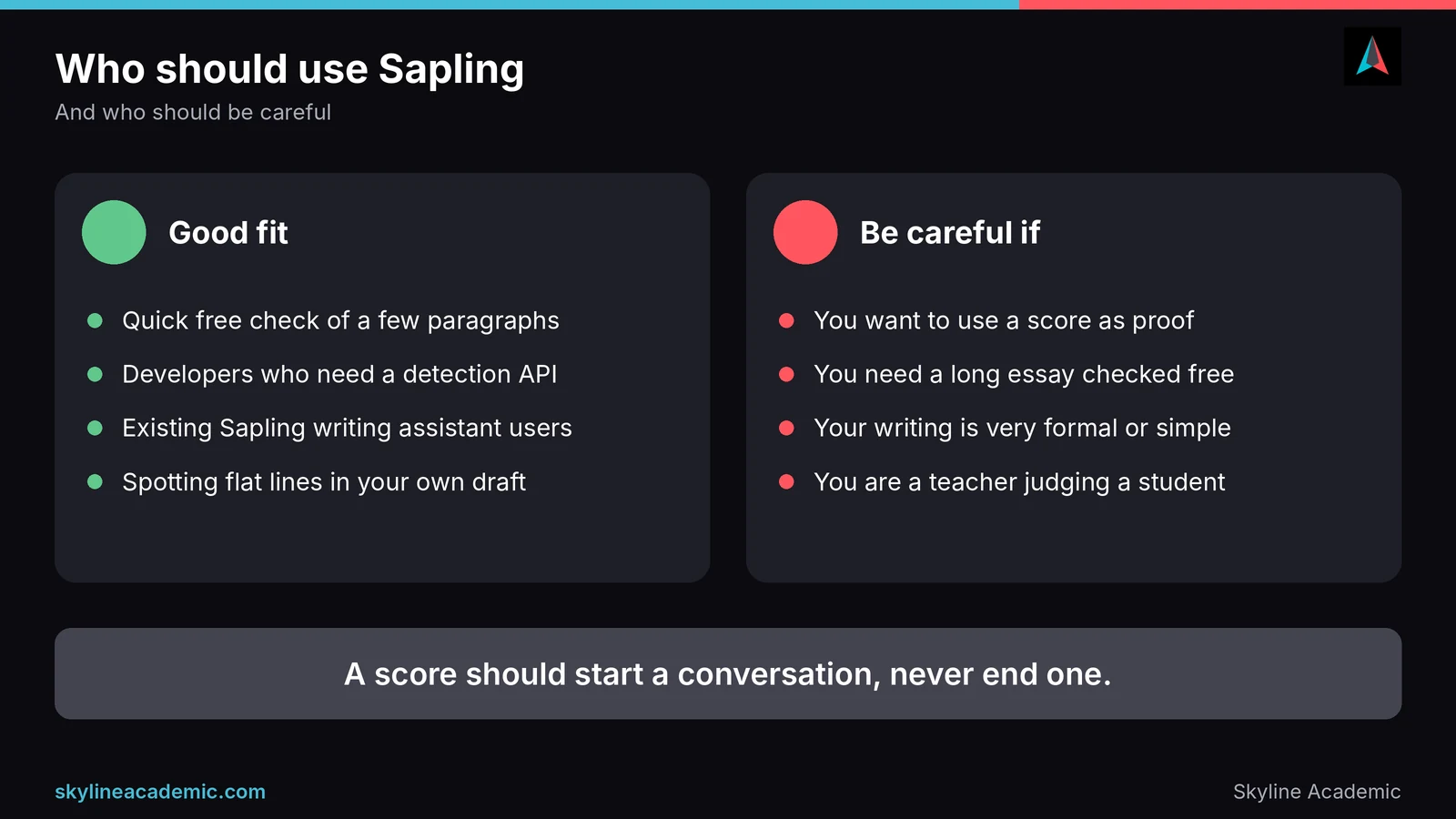
Sapling is a reasonable choice if you want a free, fast check on a short piece of writing, if you are a developer who needs an AI detection API, or if you already use Sapling’s writing assistant. Its sentence highlights are useful for spotting flat or generic lines in your own draft.
It is a poor choice if you want to use a score as proof, if you need to check a long essay for free in one go, or if your writing is very formal or written in simple, careful English, since that kind of text is more prone to false flags. Teachers should be especially careful. Sapling’s own advice, that no detector should be used alone, is the right rule.
What to do if Sapling flags your writing
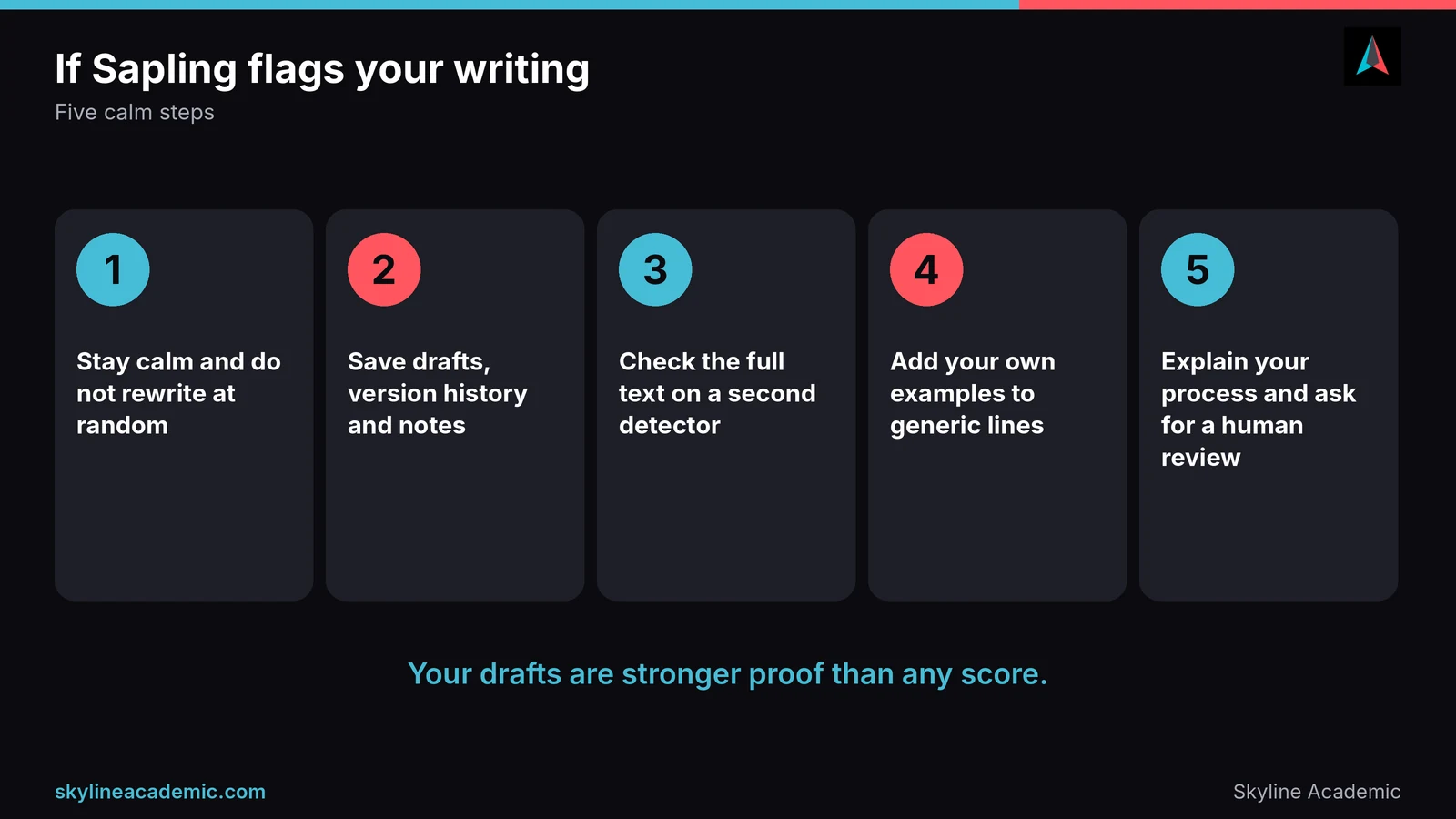
A high score does not mean you did anything wrong. Here is a calm way to handle it.
- Do not panic, and do not rewrite everything at random to chase a lower score.
- Save your drafts, version history, notes and sources. They are your best proof.
- Check the full text, not just a short chunk, and compare with a second detector.
- Read the highlighted sentences aloud and add your own examples, details and opinions where they sound generic.
- If a teacher raises concerns, explain your process and ask for a human review. Our guide on being falsely accused of using AI shows how to respond step by step.
Still confused and need help?
If you are not sure whether your writing will pass, you do not have to guess. Skyline Academic is one of the leading 1:1 live tutoring platforms, with a dedicated LMS, progress tracking, assignment quizzes, workshops and bootcamps. We also offer an AI detector and a plagiarism checker, so you can check your own draft with our AI content detector before you submit, keeping in mind that any detector gives a signal, not proof. A live tutor can also help you strengthen your own voice and show how you built your work. Book a session when you are ready.
Frequently asked questions
Is Sapling AI detector accurate?
It is good at catching raw AI text, but independent tests give mixed results on human writing. Treat its score as a rough signal, not proof.
How accurate is Sapling AI detector on short text?
Less accurate. Sapling says accuracy improves after about 50 words, and short, general text is more likely to be falsely flagged.
Is Sapling a good AI detector for students?
It is useful for a quick free check of a few paragraphs. For anything important, compare it with another detector and keep your drafts.
Is Sapling AI detector free?
Yes, for up to 2,000 characters per check. The Pro plan, at $25 a month or $12 a month billed yearly, allows up to 100,000 characters per check.
Can Sapling flag human writing as AI?
Yes. Sapling says false positives can happen, one small independent test saw 4 of 9 human texts flagged, and several Trustpilot reviewers report the same problem.
Can Sapling detect ChatGPT or Claude?
Sapling says it detects text from ChatGPT, Claude, Gemini and other models. Tests suggest it catches raw AI text well but struggles more with edited or mixed text.
Does Sapling detect paraphrased or edited AI text?
Less reliably. One reported benchmark found its accuracy dropped to 58% on humanized AI text, and another test showed it caught about half of mixed text.
Is Sapling better than GPTZero?
In the small AIMultiple test, GPTZero flagged no human texts while Sapling flagged 4 of 9. Results vary by test, so try both on your own writing.
Can teachers use Sapling as proof of AI use?
No. Sapling itself says no detector should be used as a standalone check. A score should only start a conversation, never end one.
What should I do if Sapling says my essay is AI?
Stay calm, save your drafts and notes, check the full text on a second detector, and ask for a human review if a teacher raises concerns.
Conclusion
Sapling’s AI detector is fast, free for short checks and honest about its own limits. It catches raw AI writing well, but independent tests show mixed results on human writing, and it struggles more with edited or mixed text. Use it as one signal among several, keep your drafts as proof of your work, and never let one score decide your grade. If you want a tutor to help you write with confidence and show your process, Skyline Academic is here to help.
Sources
- Sapling AI content detector (how it works, limits, FAQ)
- Sapling pricing
- AI-generated text detector test, AIMultiple
- Sapling AI Detector Review 2026, Fast.io (reports the aidetector.ac benchmark)
- 10 AI writing detectors ranked by benchmarks, BestWriting (summarises Zapier and Pangram tests)
- Sapling Intelligence reviews on Trustpilot
- AI-Detectors Biased Against Non-Native English Writers, Stanford HAI
- Do AI Detectors Work Well Enough to Trust? Chicago Booth Review