
Last updated:
It is 11 pm, your essay is due in the morning, and you are staring at a blank page. A friend says, “Just ask Claude.” You want the help, but a small voice asks: is this cheating? Will my teacher know? What if it gives me wrong answers, or an AI detector flags my work?
Here is the short answer. Yes, students can use Claude well, and many do. Used as a study partner that explains, quizzes and gives feedback on your own work, it can help you learn faster. Used to write work you hand in as your own, it can get you into serious trouble. How you use it decides everything, and this guide shows you the safe way.
What Claude is and what students use it for
Claude is an AI assistant made by Anthropic. You type a question or paste some text, and it replies in plain language. You can use it on the web or in its apps, and it can help with explaining, summarizing, brainstorming, checking grammar and creating practice questions.
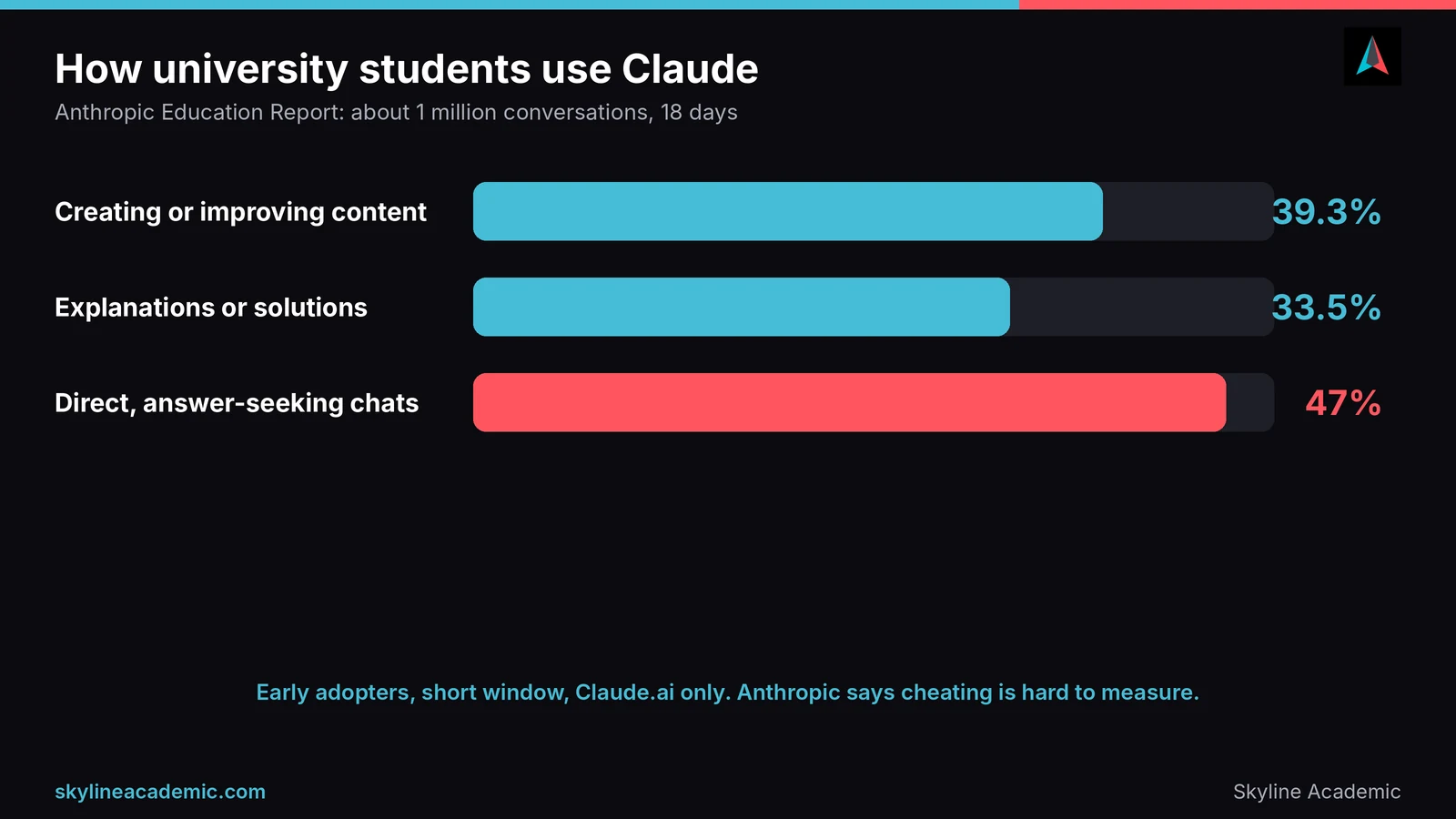
So what do students really do with it? Anthropic studied about one million anonymized Claude conversations from accounts linked to university email addresses, collected over 18 days. After filtering for academic use, 574,740 conversations were left. According to Anthropic’s education report, the most common uses were creating or improving educational content (39.3%) and getting technical explanations or solutions for assignments (33.5%). About 47% of conversations were “direct”, meaning the student wanted an answer or finished content with little back and forth.
That last number matters. Anthropic itself says it is hard to know how much of this is cheating, and it warns that students could lean on AI as a crutch and skip building their own skills. It also says the data comes from early adopters over a short time. We are quoting it because it is honest about the risks, which is exactly what you should be too.
Getting started with Claude: free, paid and account rules
Free plan and paid plans
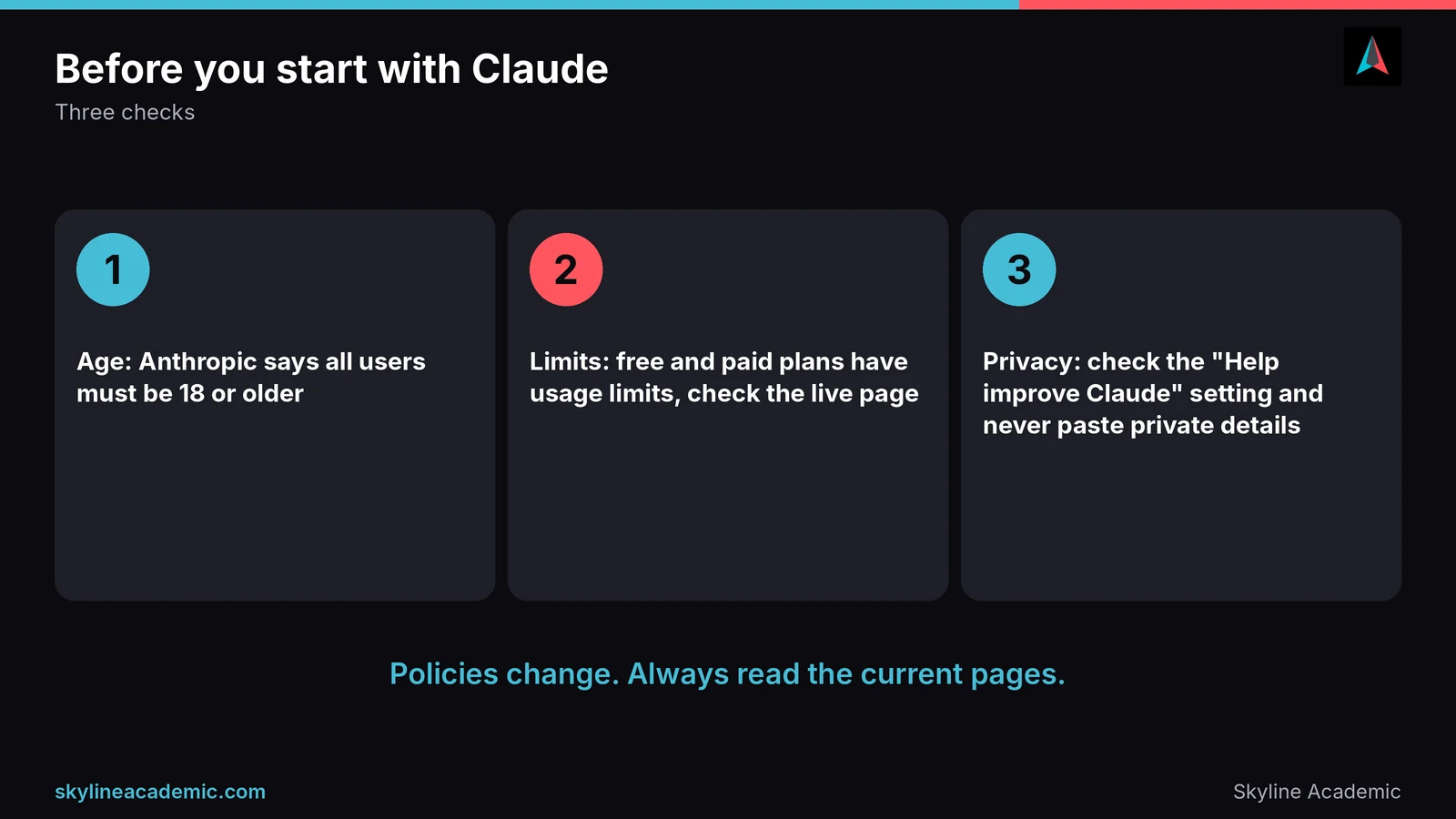
Claude has a free plan and paid plans, and the details change often, so always check the live pricing page. On the page we checked in October 2026, Anthropic listed the Pro plan at $20 per month in the US. It also says Pro has higher usage than Free, with a session limit that resets every five hours and a weekly limit on top. The free plan has usage limits too, and they can change with demand, so a heavy study session may hit a wall.
Anthropic’s Pro page also says there are no standing discounts for individual plans. Claude for Education is described as a separate offering. Reports from April 2025 say Anthropic launched a Learning mode there, where Claude asks guiding questions instead of just giving answers. Whether you can use it depends on your school, so check with your university before you count on it.
The age rule
This one surprises people. Anthropic’s support page says all users must be at least 18 to create and use a Claude account. If you are under 18, do not work around this. Ask your school or teacher which tools are approved for your age.
Your account and your privacy
When you paste an essay into any AI tool, you are sharing it with a company. According to reports from October 2025, Anthropic changed its policy so that personal Claude accounts can be used to train its models unless you turn off a setting called “Help improve Claude” (in Settings, then Privacy). The same reports say school and work accounts are treated differently. Policies change, so read the current privacy page, and never paste private details such as your ID number, health information or other people’s personal data.
Smart ways to use Claude for studying
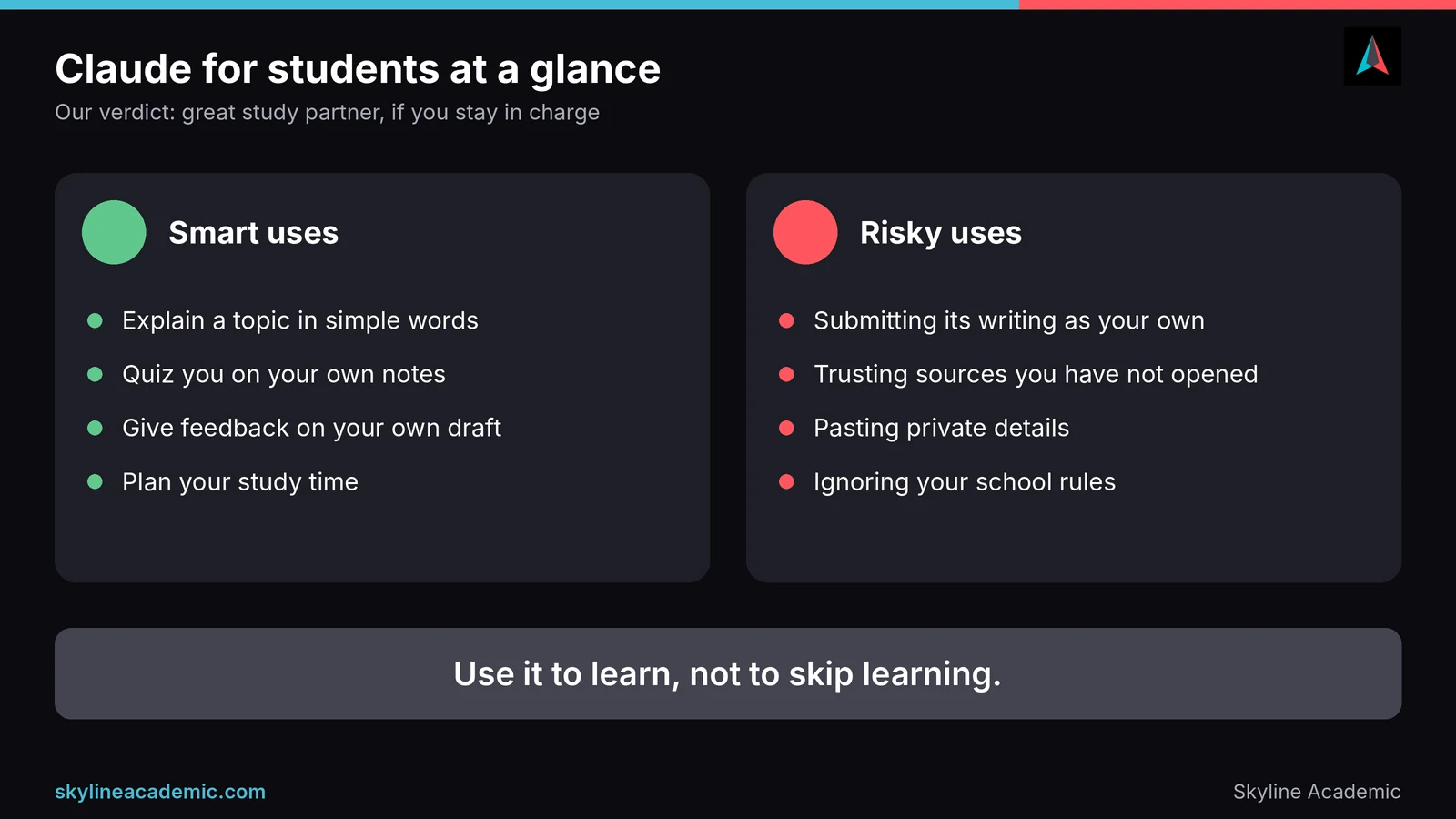
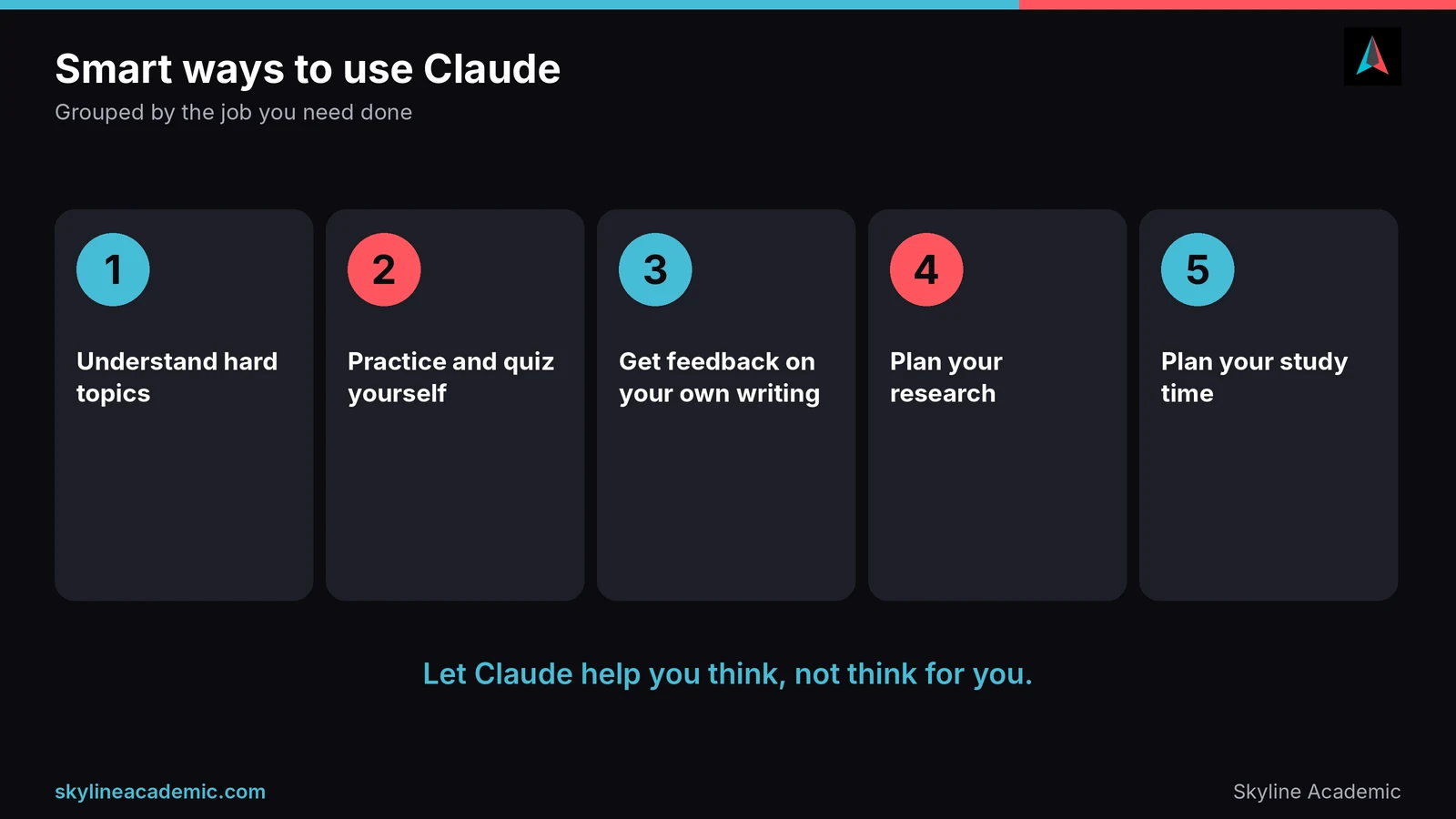
The best rule is simple: let Claude help you think, not think for you. Below are the jobs where it helps most, grouped by what you are trying to do. For more tools beyond Claude, see our guide to AI powered study tools for students.
Understanding hard topics
If a lecture lost you, ask Claude to explain the idea in simple words, with an example from everyday life. A good prompt is: “Explain photosynthesis like I am 14, then give me one example, then ask me two questions to check I got it.” The last part is the key, because it makes you answer instead of just reading.
Practice and quizzing
Paste your own notes and ask for 10 practice questions, then answer them before looking at anything. Ask Claude to mark your answers and explain every mistake. This is much better for memory than rereading, because trying to recall an answer is what makes it stick.
Feedback on your own writing
Write your draft first. Then ask: “Here is my paragraph. Where is my argument unclear? Do not rewrite it, just tell me what to fix.” You keep your own voice, and you learn from the feedback. This is also the safest use if English is your second language, because you stay the author.
Research planning
Claude can help you break a big question into smaller ones, suggest what to search for and explain how a method works. It should not be your source list. Always find and read real sources yourself.
Planning your time
Tell Claude your deadlines and how many hours you have, and ask for a realistic weekly plan. Then adjust it to your real life.
| Task | A prompt idea | Watch out for |
|---|---|---|
| Understand a topic | “Explain this in simple words, then quiz me.” | It can sound sure and still be wrong. Check key facts. |
| Practice | “Make 10 questions from my notes and mark my answers.” | Do not read the answers first. |
| Writing feedback | “Point out unclear parts. Do not rewrite.” | Never paste it back as your own words if your rules forbid it. |
| Research | “Help me plan what to search for.” | Do not trust any source or quote it gives without checking. |
| Planning | “Build a study plan for my deadlines.” | Plans fail if they ignore your real energy and time. |
Five prompts you can copy today
Good prompts keep you in the driver’s seat. Try these and change the topic to fit your course.
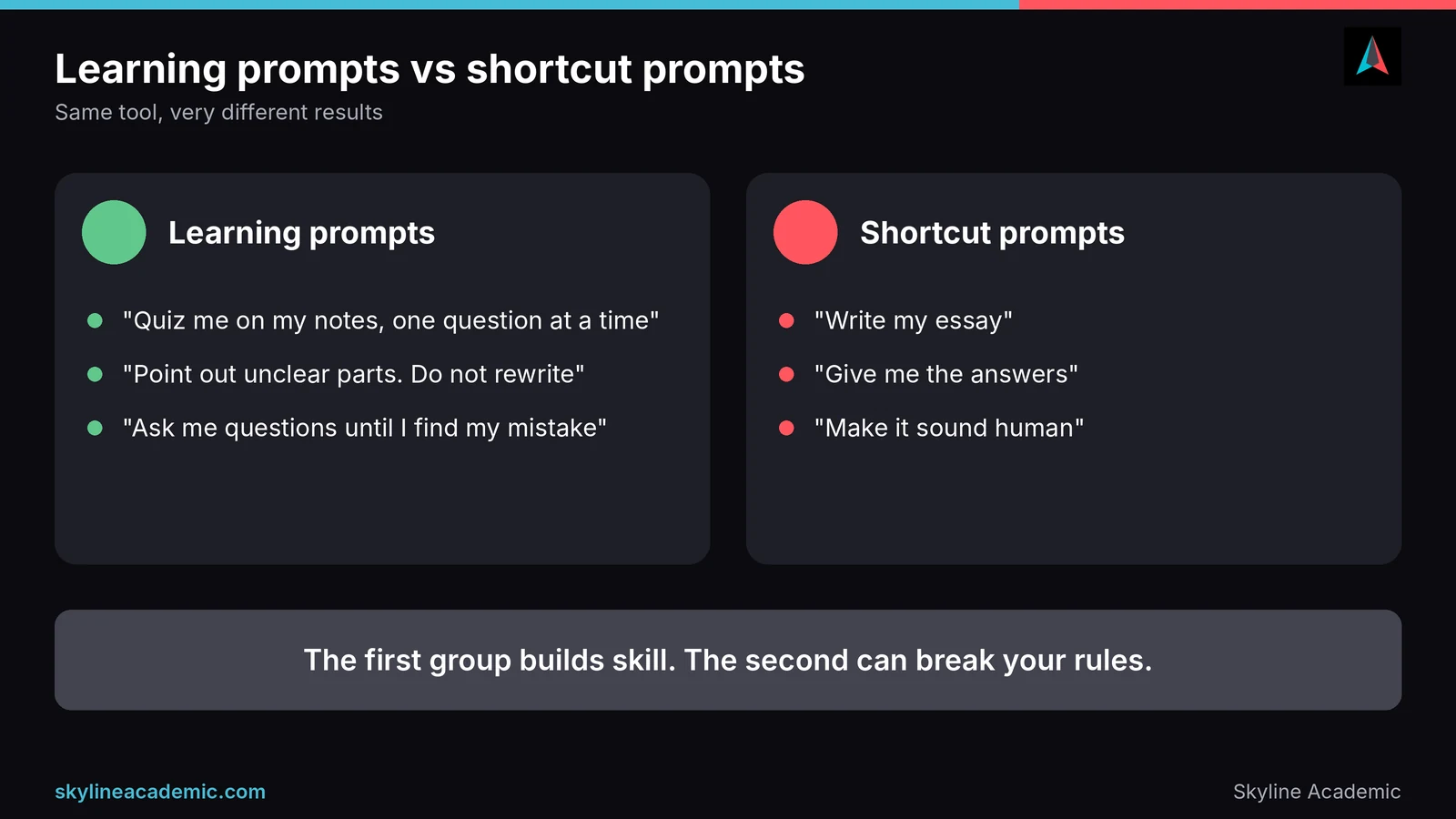
- “Explain this topic in simple words, then ask me three questions one at a time and wait for my answer.”
- “Here are my notes. Make 10 practice questions that get harder, and do not show the answers until I reply.”
- “Here is my paragraph. List the three biggest problems with my argument. Do not rewrite it.”
- “I got this question wrong. Do not just give the answer. Ask me questions until I find my mistake.”
- “I have an exam in two weeks and 6 hours a week. Build a realistic study plan and tell me what to drop if I fall behind.”
Notice the pattern. Each prompt asks Claude to question you, check you or point out problems, instead of doing the work for you. That is the difference between learning and shortcutting.
A simple weekly routine with Claude
Short, regular sessions work better than one long panic. On Monday, ask Claude to turn the week’s lecture notes into practice questions. On Tuesday and Wednesday, answer them from memory and ask for explanations of what you missed. On Thursday, write a draft or a problem solution yourself, then ask for feedback. On Friday, fix your work, check every fact and source, and note what is still confusing. Take those leftover problems to a teacher or tutor, because they are the parts where a person helps most.
The risks and fears students have, and how to handle them
Wrong answers and made-up sources
Claude can make mistakes, and it can sound confident while doing it. The biggest danger is invented references. A 2023 study of 636 ChatGPT references found that 55% of GPT-3.5 references and 18% of GPT-4 references were fabricated. Claude was not part of that study, and newer tools may do better, but the lesson holds for every AI tool: never put a source in your essay until you have found it and read it yourself.
Being accused of cheating
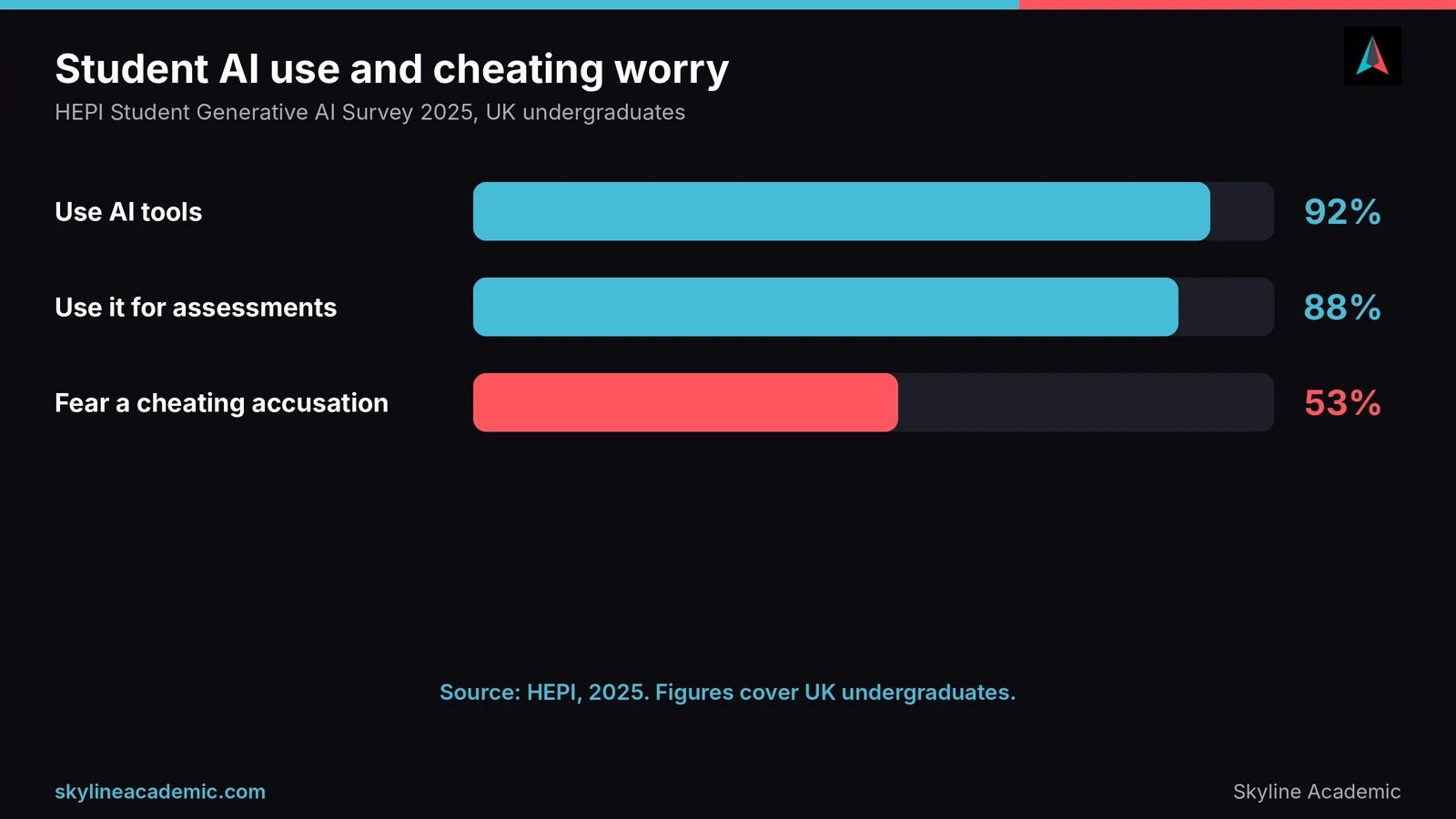
This fear is real. In the HEPI Student Generative AI Survey 2025 of UK undergraduates, 92% of students said they use AI tools, 88% said they use generative AI for assessments, and 53% said they worry about being accused of cheating. The best protection is honesty plus evidence: follow your course rules, keep your drafts, and be ready to explain your work.
Privacy
Anything you paste may be stored and, depending on your settings, used to train models. Remove names, ID numbers and private details first, and check the privacy settings on your account.
Quick ways to check if Claude is wrong
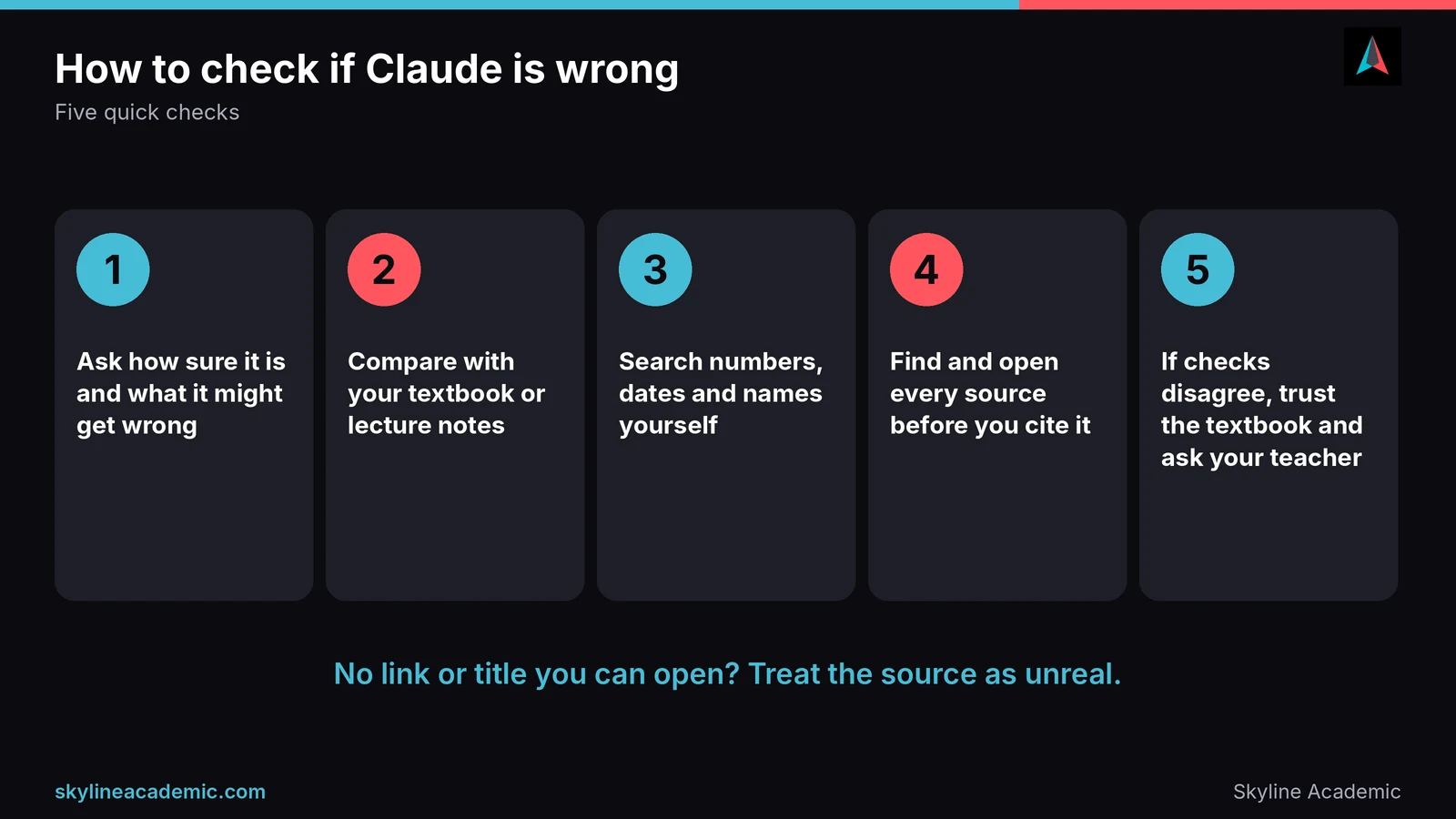
You do not need to be an expert to catch many mistakes. Ask Claude how sure it is, and ask it to list what it might be getting wrong. Then check the answer against your textbook, lecture notes or a trusted site. For numbers, dates and names, search for them yourself. For quotes and references, find the original. If Claude cannot give you a link or a title you can actually open, treat the source as unreal until proven otherwise. When two checks disagree, trust the textbook and ask your teacher.
Relying on it too much
If Claude does all the thinking, you will not build the skill your exam will test. A simple check is to close the chat and try to explain the idea to a friend. If you cannot, you did not learn it yet.
Unclear school rules
Rules differ between universities and even between teachers in the same school. If your syllabus says nothing, ask. An email takes two minutes and can save you months of stress.
Can AI detectors tell if Claude wrote it?
Students ask this more than anything else, and the honest answer is that detectors give guesses, not proof. They can miss AI text, and they can flag honest human writing. Our guide on AI detection false positives explains why this happens and what to do about it.
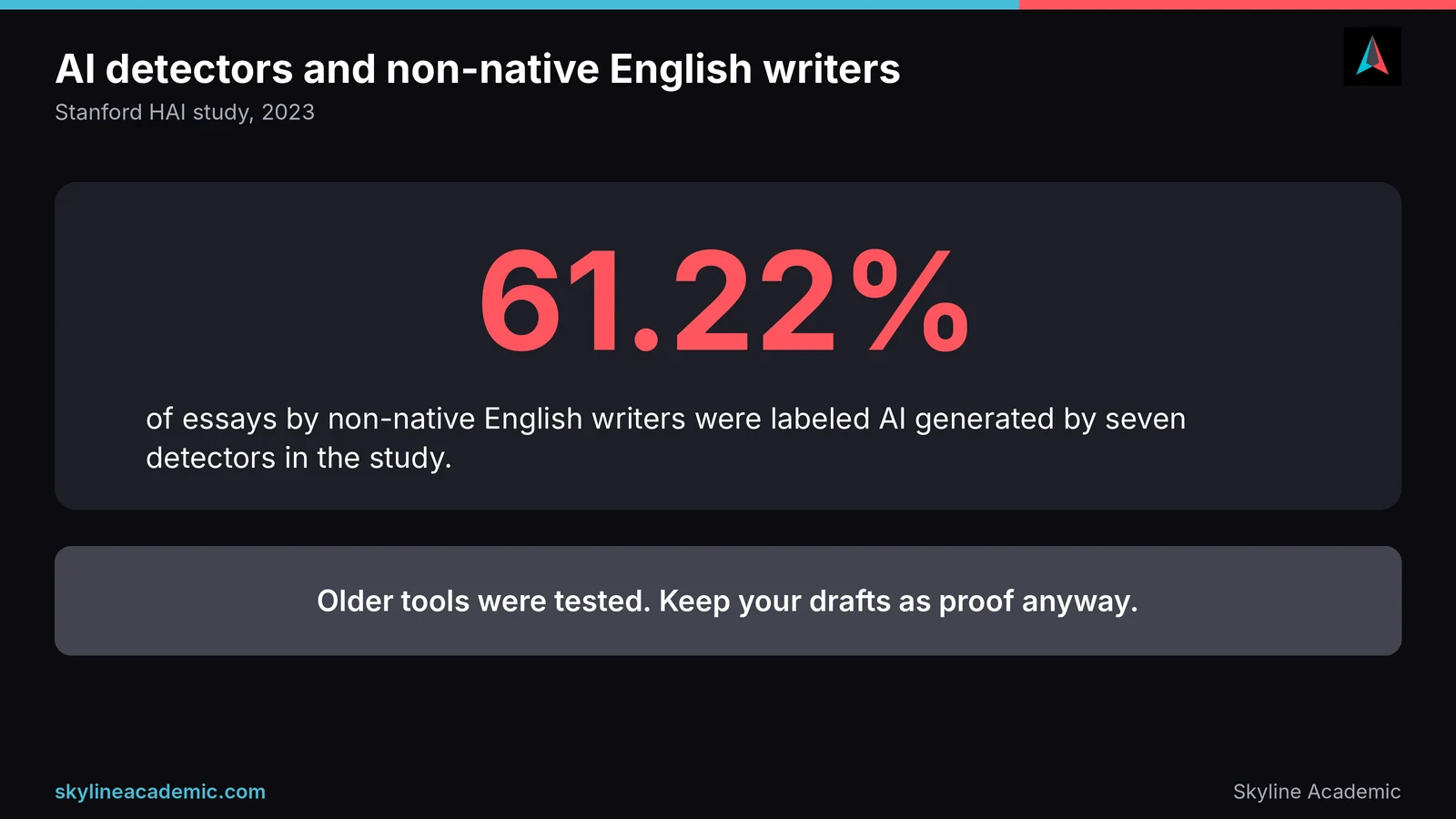
The risk is higher if English is not your first language. A well-known Stanford study found that seven detectors labeled 61.22% of essays by non-native English writers as AI generated. Older tools were tested there, and newer ones may do better, but it is a good reason to keep your drafts. We cover this in our guide to AI detection for non-native English students.
Tools also disagree with each other. If you want to see how one popular detector holds up, read our review of GPTZero accuracy. The lesson is the same everywhere: a score is a signal, and your drafts, notes and sources are the real proof. And please do not try to trick detectors. Hiding AI use is the opposite of ethical use, and it is the fastest way to lose trust.
Using Claude ethically: a simple guide
Ethical use comes down to four habits. First, read your course and university policy before you start. Second, ask your teacher if the rules are unclear. Third, keep your own drafts, notes and chat history as a record of how you worked. Fourth, disclose AI help when your school asks you to, and never hand in AI-written work as your own.
Common mistakes to avoid
Most trouble comes from a few easy mistakes. Students paste a whole assignment question and copy the answer. They trust a reference without opening it. They use AI on a task where the rules say no, because they never read the policy. They delete their chat history and then have no proof of how they worked. And they wait until they are accused before saving their drafts. Each of these is easy to avoid with a little planning.
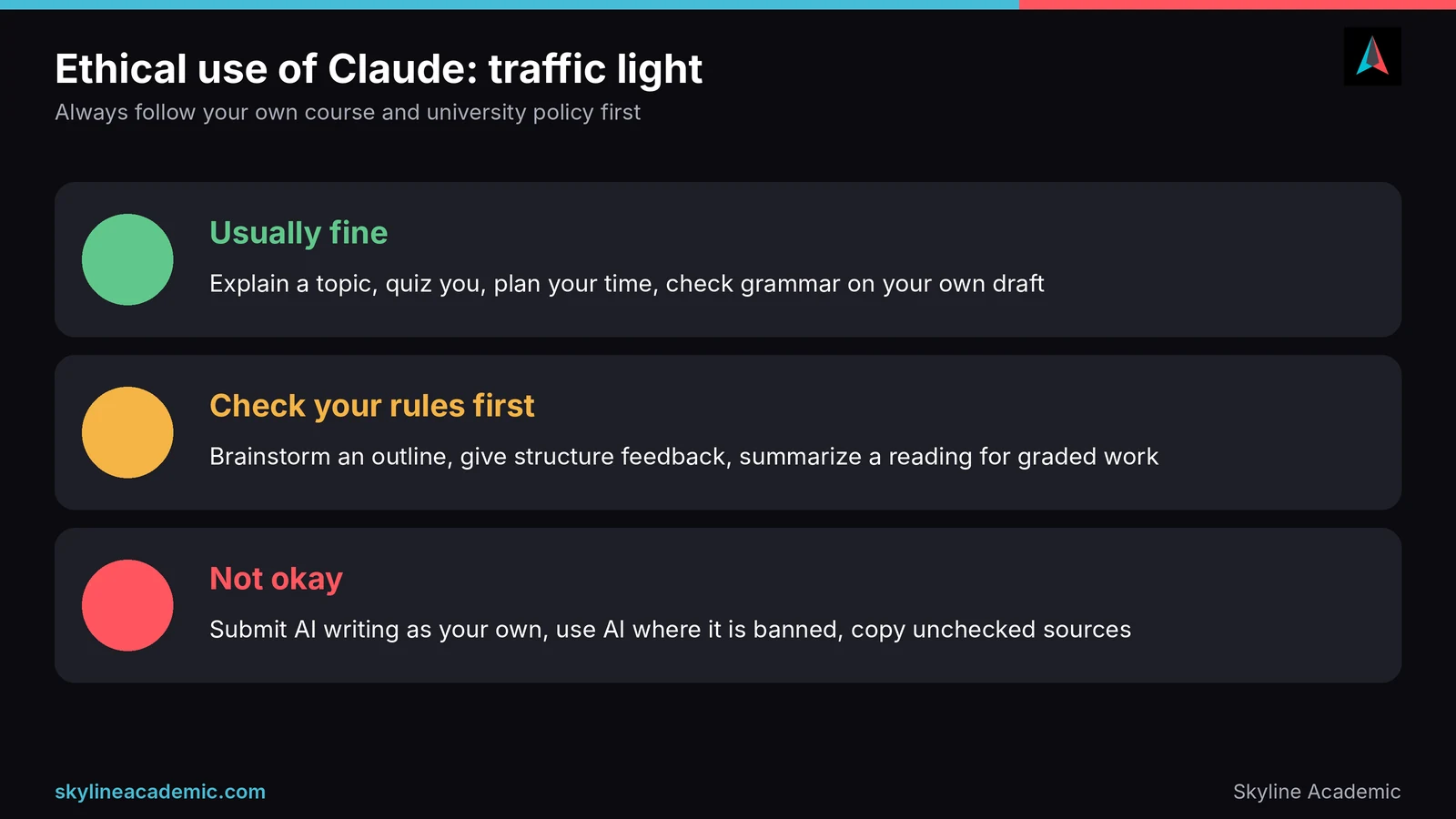
Here is a simple traffic light you can use.
| Light | What it looks like |
|---|---|
| Usually fine | Asking Claude to explain a topic, quiz you, suggest a study plan, or check grammar on your own draft, when your rules allow it |
| Check your rules first | Using Claude to brainstorm an outline, give feedback on structure, or summarize a reading that you will then use in graded work |
| Not okay | Submitting text written by Claude as your own, using it in an exam or test where AI is banned, or copying sources you have not checked |
When you do use Claude, a short note can protect you. Many schools now accept a simple statement such as “I used an AI tool to quiz me on this topic and to give feedback on my draft. All writing and sources are my own.” If your school has a form or a rule, follow that instead.
What to do if you are accused of using AI
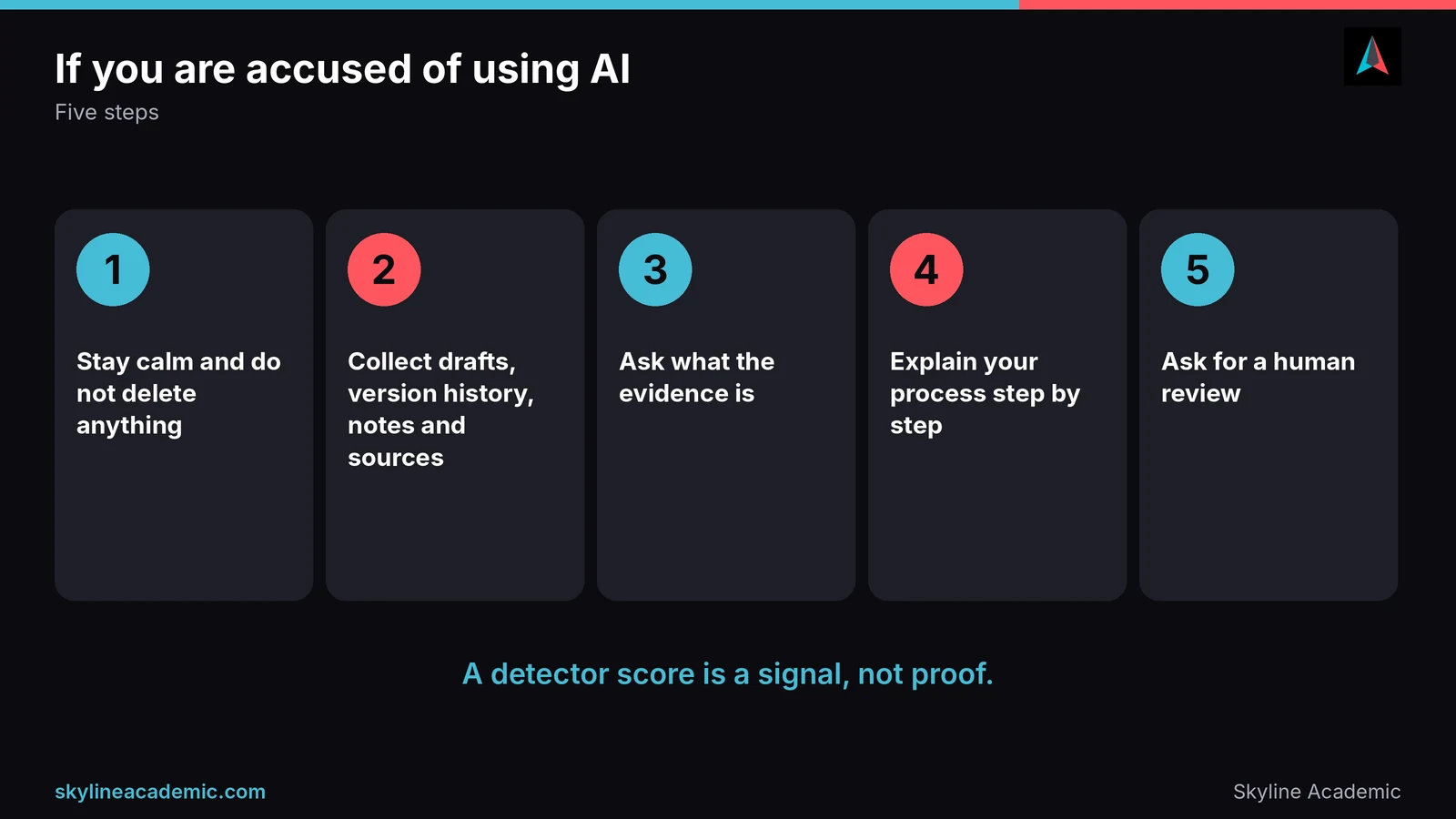
First, stay calm and do not delete anything. Collect your drafts, version history, notes and the sources you used. Ask what evidence the accusation is based on, and if it is only a detector score, say that detectors give guesses and ask for a human review. Explain your writing process step by step. Our full guide on being falsely accused of using AI walks you through each stage. If you want a calm second pair of eyes before you reply, a Skyline tutor can help you prepare to explain your work.
Still confused and need help?
Claude can explain a topic, but it cannot sit with you, notice where you get stuck and build your confidence over weeks. Skyline Academic is one of the leading 1:1 live tutoring platforms, with a dedicated learning management system that includes progress tracking, assignment quizzes, workshops and bootcamps. Alongside tutoring, we offer a plagiarism checker and an AI content detector so you can scan your own draft before you submit it. Like every detector, ours gives a signal and not proof. Book a session when you are ready.
Frequently asked questions
Is Claude free for students?
Claude has a free plan with usage limits, and paid plans for more use. Limits and prices change, so check the live pricing page. Anthropic says there are no standing discounts for individual plans.
Is using Claude cheating?
It depends on how you use it and what your school allows. Asking it to explain a topic or quiz you is usually fine, but submitting its writing as your own is not. Check your policy first.
Can teachers tell if Claude wrote my essay?
Sometimes, but not reliably. Teachers may notice a change in your usual style, and detectors give guesses. Keep your drafts so you can show how you wrote it.
Can AI detectors detect Claude?
Detectors can flag AI-like writing, but they can also miss it and wrongly flag human writing. A detector score is a signal, not proof.
Can Claude write my essay for me?
It can produce text, but handing that in as your own work usually breaks academic integrity rules. Use it for feedback and ideas, and write the essay yourself.
Is Claude safe for student data?
Be careful with what you paste. Reports say personal accounts may be used for model training unless you turn off “Help improve Claude” in privacy settings, so read the current policy.
Does Claude make up sources?
It can, like any AI tool. Never use a reference until you have found it and read it yourself.
How do I cite Claude in my essay?
Citation styles such as APA, MLA and Chicago have guidance for citing AI tools. Check your style’s current page, and follow your instructor if they have their own rule.
How can I use Claude to study for exams?
Paste your notes, ask for practice questions, answer them first, then ask Claude to mark them and explain your mistakes. Repeat the weak topics a few days later.
Is Claude good for non-native English speakers?
It can explain words and give feedback on grammar in simple language. Write the draft yourself first, so the voice stays yours and detectors have less reason to misread it.
Conclusion
Claude can be a very useful study partner, but only if you stay in charge. Let it explain, quiz and give feedback. Check every fact and source yourself, protect your privacy, follow your school’s rules, and keep your drafts as proof of your work. If you want a real person to help you learn, plan and write with confidence, Skyline Academic is here to help.
Sources
- Anthropic Education Report: How University Students Use Claude
- Claude minimum age requirement, Anthropic Help Center
- What is the Pro plan? Anthropic Help Center
- Claude’s new Learning mode, Engadget (April 2025)
- Your Claude chats are being used to train AI, Tom’s Guide (October 2025)
- HEPI Student Generative AI Survey 2025
- Study of fabricated references in ChatGPT output, PMC
- AI-Detectors Biased Against Non-Native English Writers, Stanford HAI