
Last updated:
It is 11 p.m., your exam is in nine days, and you have six tabs open. One has a chatbot, one has a flashcard app, one has a note summariser you signed up for last week, and none of them has helped you remember a single formula. Sound familiar? You are not short of tools. You are short of a clear plan for which tool does which job, and whether it is even safe to use.
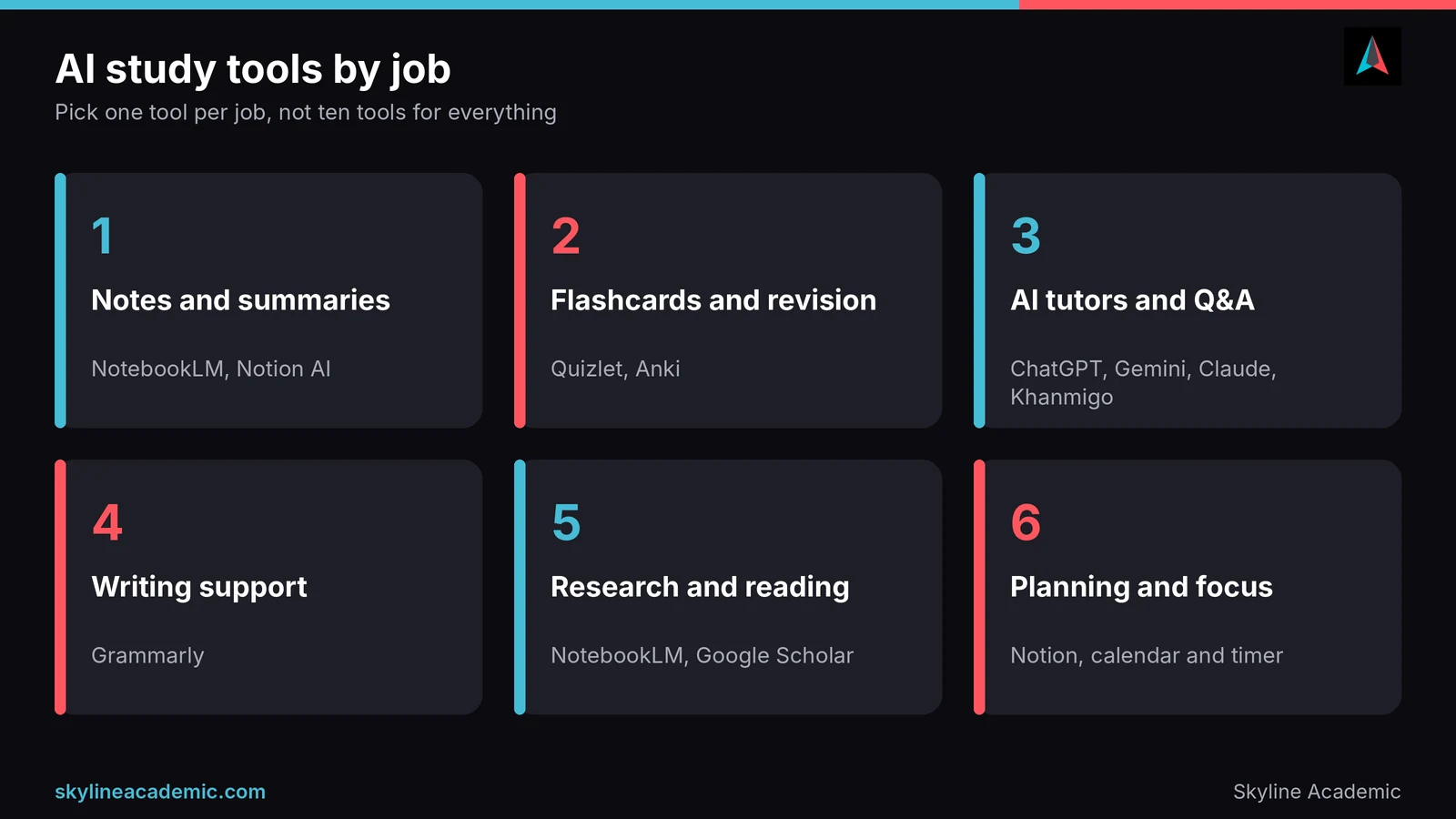
This guide fixes that. The best AI-powered study tools for students are NotebookLM for turning your own notes into summaries and quizzes, Quizlet or Anki for flashcards, a general AI tutor such as ChatGPT, Gemini or Claude for explanations, Grammarly for writing support, and Notion for planning. Below you will find what each one is good at, what is free, where it goes wrong, and how to use them without risking your grades.
What AI-powered study tools actually do
An AI study tool is software that uses a large language model to help you learn: it can summarise a lecture, write practice questions from your notes, explain a hard idea in simpler words, or check your grammar. The key word is help. These tools are good at speeding up the boring parts of studying. They are not good at understanding your course the way your lecturer does.
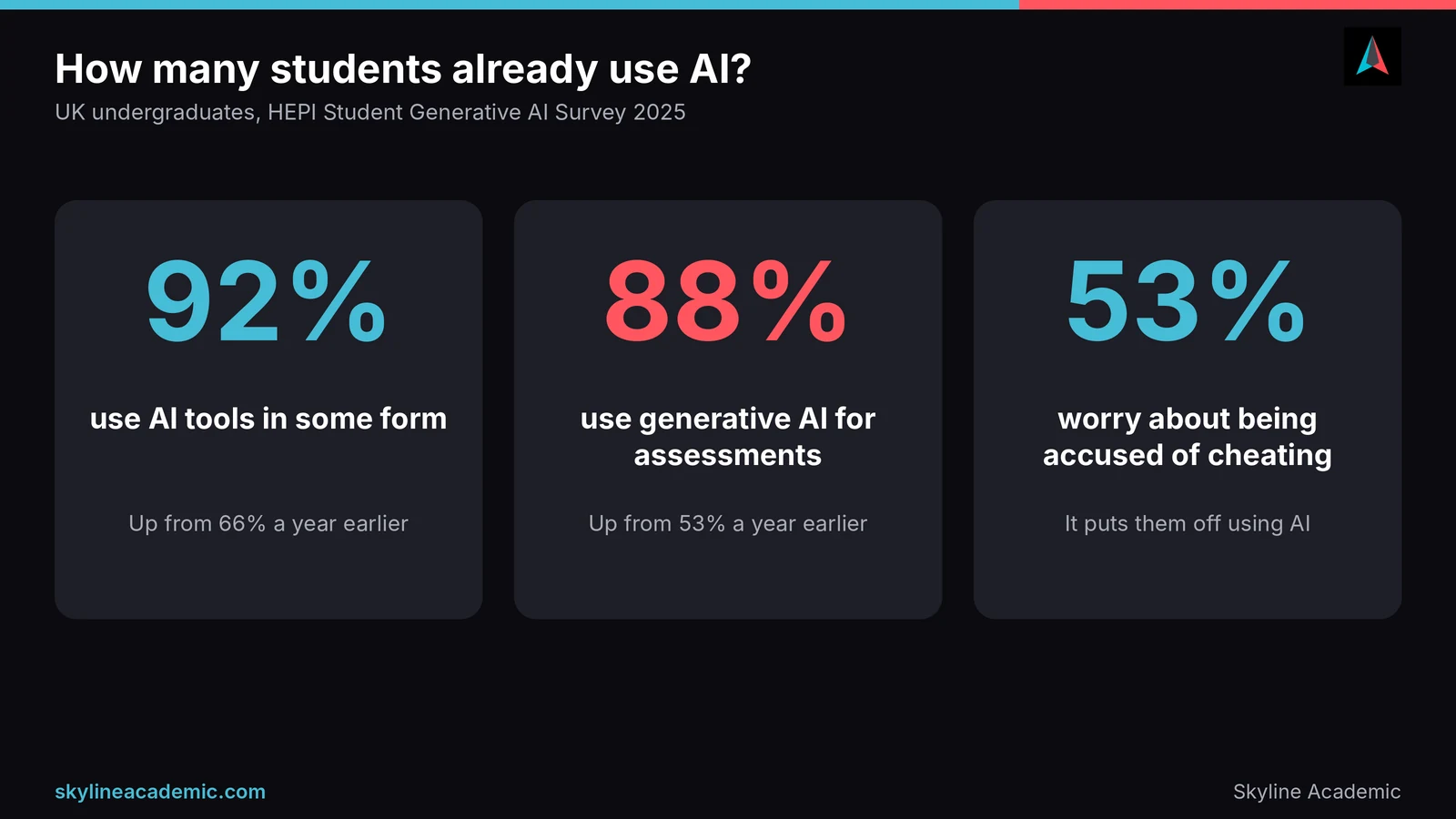
Most students already know this from experience. A 2025 survey by the Higher Education Policy Institute found that 92% of UK undergraduates use AI tools in some form, and 88% use generative AI for assessments, with explaining concepts, summarising articles and suggesting research ideas among the most common uses. In other words, almost everyone is using these tools. The students who benefit are the ones who use them with a method.
What AI tools do well
They are quick and patient. You can ask the same question five different ways at 2 a.m. and nobody gets tired. They are strong at turning long text into short text, creating quiz questions, rephrasing an explanation for a different level, and giving you a first draft of a study plan.
What AI tools do badly
They can sound completely sure while being completely wrong. They do not know your syllabus, your marking criteria or what your lecturer said in week four. They can also make studying feel easy when it is not. Reading a neat AI summary feels productive, but it is not the same as recalling the material yourself.
Best AI study tools for students, by job
The easiest way to choose is to stop asking “what is the best tool?” and start asking “what job do I need done?” Pick one tool per job. Prices and limits below were checked in October 2026, but they change often, so confirm them on each tool’s own site before you pay for anything.
Notes and summaries
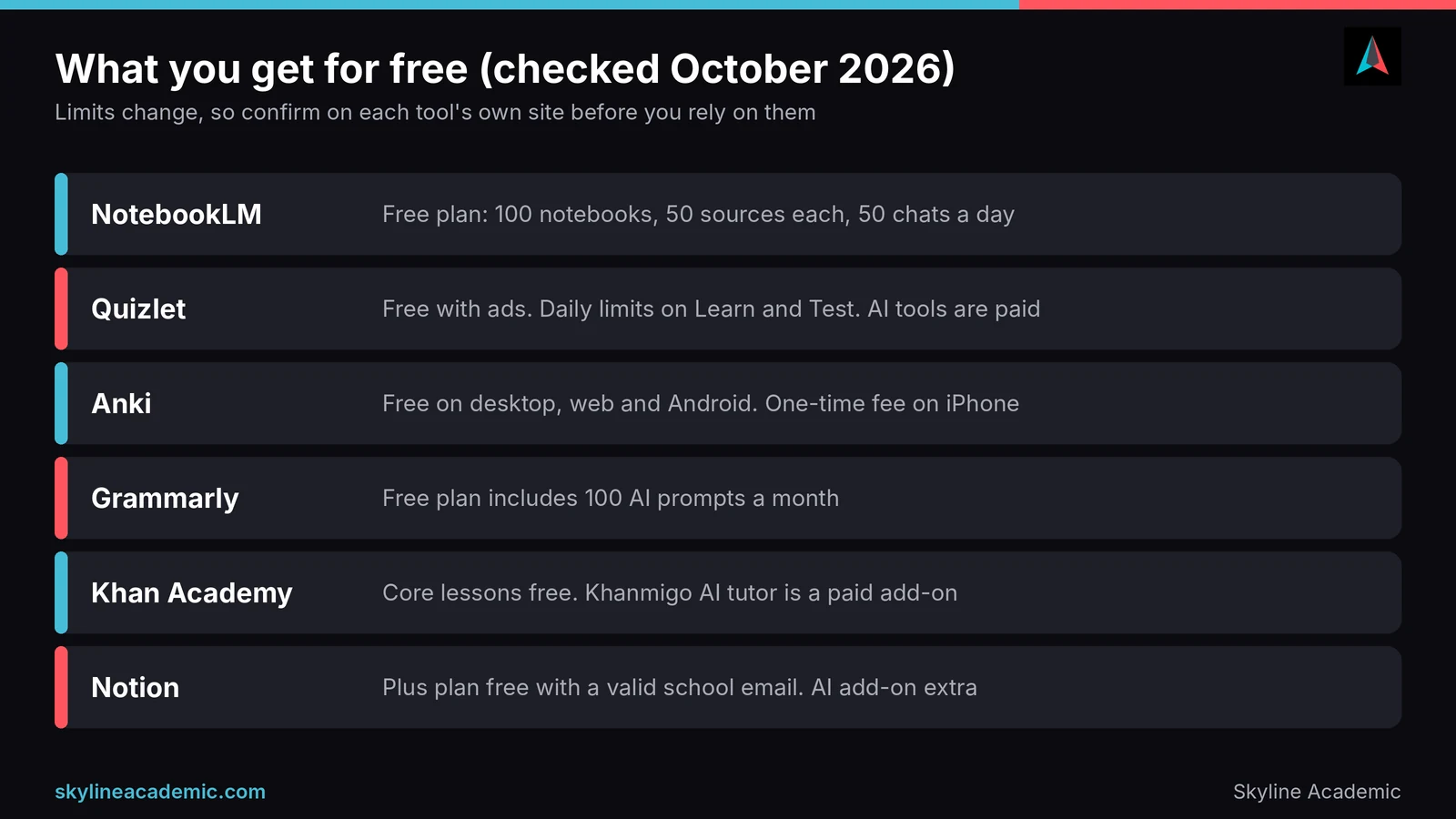
NotebookLM from Google is one of the most useful tools here because it works from your own material. You upload lecture slides, PDFs or notes, and it answers questions and builds summaries, flashcards and quizzes based on those sources. That matters because it is less likely to wander off into general internet knowledge. Reported free limits include 100 notebooks with up to 50 sources each and 50 chats a day, and paid plans start at about $4.99 a month. Its main limit is that it is only as good as what you upload, so messy notes give messy answers.
Notion is a good home for notes if you like everything in one place. Students with a valid school email can often get the Plus plan free, and the Notion AI add-on has been offered to students at a discount, though the AI part is not free. It suits planners and organisers more than people who just want quick answers.
Flashcards and revision
Flashcards work because they force you to recall an answer instead of rereading it. A classic line of research on testing and spacing, summarised by the Association for Psychological Science, shows that testing yourself and spreading practice over time both help memory. Good flashcard tools make that easy.
Quizlet is the best known. Its free plan is supported by ads and limits how many Learn and Test rounds you can do each day, and its AI features, such as Magic Notes and Q-Chat, sit behind the paid Plus plan, which was reported at $7.99 a month or $35.99 a year according to Nibble’s Quizlet cost guide. Anki is the free alternative that serious memorisers prefer. The Anki apps are free on desktop, the web and Android, with a one-time fee on iPhone. It looks plain and takes an evening to learn, but its spaced repetition schedule is hard to beat for medicine, law, languages and anything with lots of facts.
AI tutors and question answering
General chatbots such as ChatGPT, Gemini and Claude can act as a patient tutor. Paste in a concept you do not understand and ask for a simple explanation, then ask for an example, then ask them to quiz you. They all have free tiers with usage limits, and the limits and models change often, so check the current plan before relying on one. Their weakness is accuracy: they can be wrong without any warning, especially on recent facts, specific page numbers and niche topics.
Khan Academy is free for its core lessons and practice, and its AI tutor Khanmigo is a paid add-on for learners, reported at around $4 a month. It is built mostly around school-level subjects, so it is a stronger fit for foundations in maths and science than for advanced university modules.
Writing support
Grammarly is the tool most students already know. The free plan checks spelling, grammar and tone and includes 100 AI prompts a month, while paid plans, listed on the Grammarly plans page, add more AI prompts and full rewrites. It is useful for clean-up, especially if English is your second language. It is not a ghostwriter, and as we cover below, handing your writing over to AI is where students get into trouble.
Research and reading
For reading a dense paper, NotebookLM can pull out the main argument and methods from files you upload, and Google Scholar remains a free place to find real, citable sources. Use AI to understand a paper, then read the key sections yourself. Never cite something you have not opened.
Planning and focus
Planning does not need a clever AI. A simple calendar, a task list in Notion and a basic timer will do more than a complicated planner. If you want a ready-made system, our guide to proven study techniques shows how to build a schedule that holds up past the first week.
Quick comparison of the main tools
| Tool | Best for | Free plan | Main limit |
|---|---|---|---|
| NotebookLM | Summaries and quizzes from your own notes | Yes, with daily limits | Only as good as your uploads |
| Quizlet | Fast flashcards and games | Yes, with ads and daily limits | AI features are paid |
| Anki | Long-term memorising | Yes (one-time fee on iPhone) | Steeper to learn |
| ChatGPT, Gemini, Claude | Explanations and practice questions | Yes, with usage limits | Can be confidently wrong |
| Grammarly | Grammar and clarity | Yes, 100 AI prompts a month | Not a substitute for your own writing |
| Notion | Notes and planning | Yes, Plus free with school email | AI add-on costs extra |
How to choose in 60 seconds
If you only have a minute, ask three questions. First, what is slowing me down right now: understanding, remembering or organising? Second, does my course allow this kind of AI use? Third, can I get the same result with a free tool? If you struggle to understand, start with a chatbot tutor. If you struggle to remember, start with flashcards. If you struggle to organise, start with a planner. Fix one problem at a time, and you will know quickly whether a tool is worth keeping.
Also think about where you study. If you mostly work on your phone, an app with good mobile support matters more than a long feature list. If you share a laptop or study in a library, a web-based tool such as NotebookLM or Notion is easier to use anywhere. A tool you open every day will always beat a powerful one you forget about.
Free AI study tools worth trying first
You can build a strong set of study tools without spending a cent. A sensible free starter kit is NotebookLM for notes and quizzes, Anki on desktop or Android for flashcards, one general chatbot for explanations, Notion for planning, and the free version of Grammarly for proofreading. Add a paid plan only after you have used the free version for a few weeks and know exactly which limit is slowing you down.
One tip many students miss is to check your university account. Some universities give students access to premium versions of certain tools, and student discounts exist on several paid plans. A quick search of your library or IT page can save you real money.
Common problems with AI study tools, and how to fix them
Problem 1: The answer sounds right but is wrong
This is the biggest risk. Chatbots predict likely words, not verified facts. The fix is simple. Treat every AI answer as a draft, check important facts against your textbook or lecture notes, and ask the tool to show its reasoning step by step so you can spot a mistake. If a fact will end up in an essay or a lab report, confirm it in a trusted source.
Problem 2: Made-up references
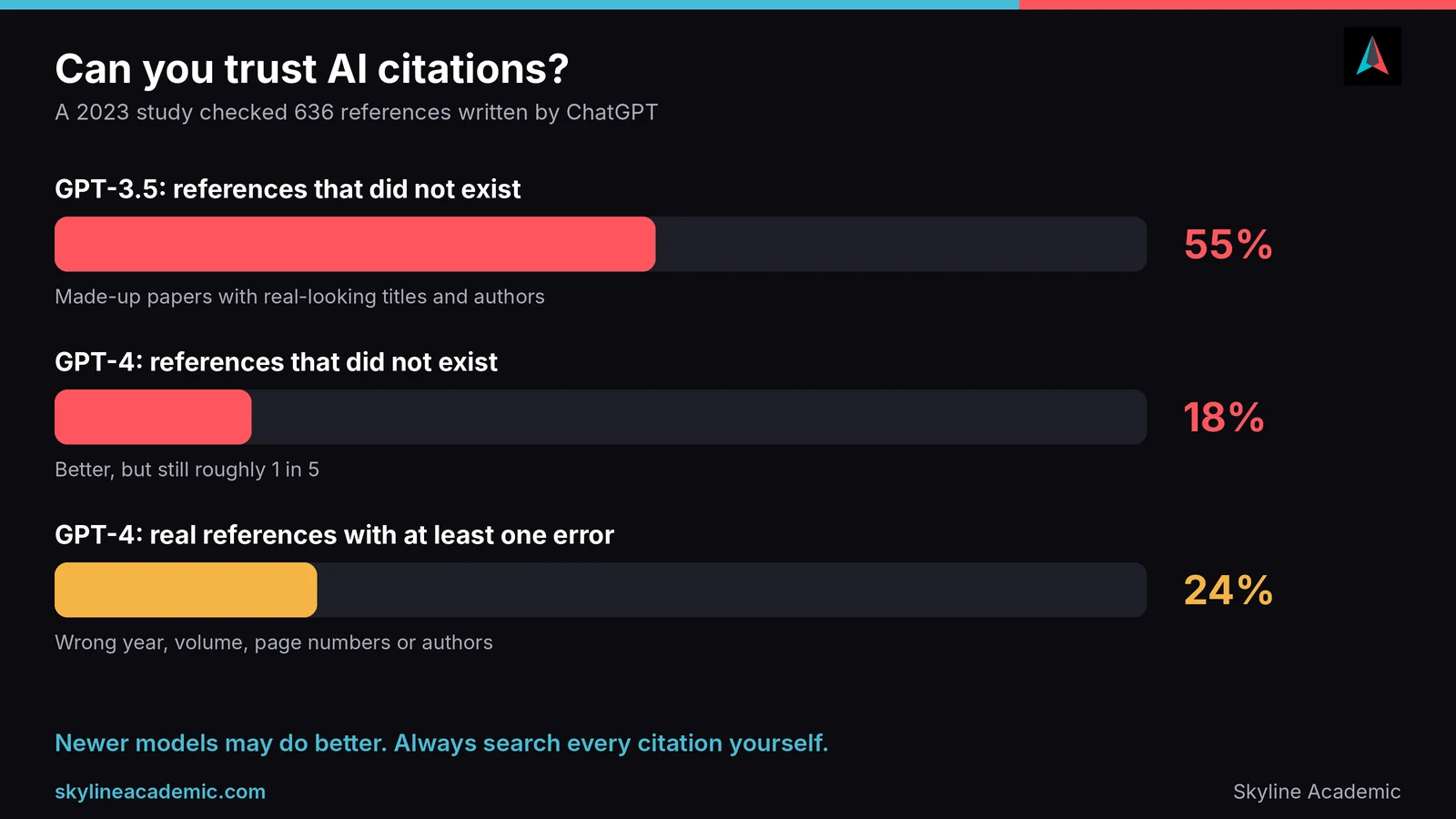
AI tools can invent sources that look real. A 2023 study of 636 references written by ChatGPT found that 55% of the GPT-3.5 references and 18% of the GPT-4 references were fabricated, and many of the real ones contained errors. Newer models may do better, but the rule stays the same: search every citation yourself in your library database or Google Scholar before it goes anywhere near your reference list.
Problem 3: Studying feels easy, but nothing sticks
If you read AI summaries all day, you are practising recognition, not recall. The fix is to switch from reading to testing. Close the summary, write down what you remember, then check it. Ask the tool to quiz you rather than explain everything for you.
Problem 4: Too many tools, no routine
Students often sign up for five apps and use none of them well. Choose one tool per job from the list above, stick with it for a month, and only add something new when you hit a clear limit.
Problem 5: Fear of being accused of cheating
This worry is real. The same HEPI survey found that 53% of students say fear of being accused of cheating puts them off using AI. The fix is transparency. Read your course AI policy, keep notes on how you used a tool, and be ready to explain your process. If you ever face an accusation you believe is wrong, it also helps to understand why human experts still outperform AI in research, because that gap is exactly what your lecturer is looking for in your work.
How to use AI study tools without breaking academic integrity
Rules on AI differ between universities, courses and even individual assignments. One module may allow AI for brainstorming, and the next may ban it completely. That is why the safest first step is always to check your syllabus or ask your lecturer in writing. If you are unsure whether a particular use crosses the line, our explainer on whether using AI counts as cheating walks through the common grey areas.
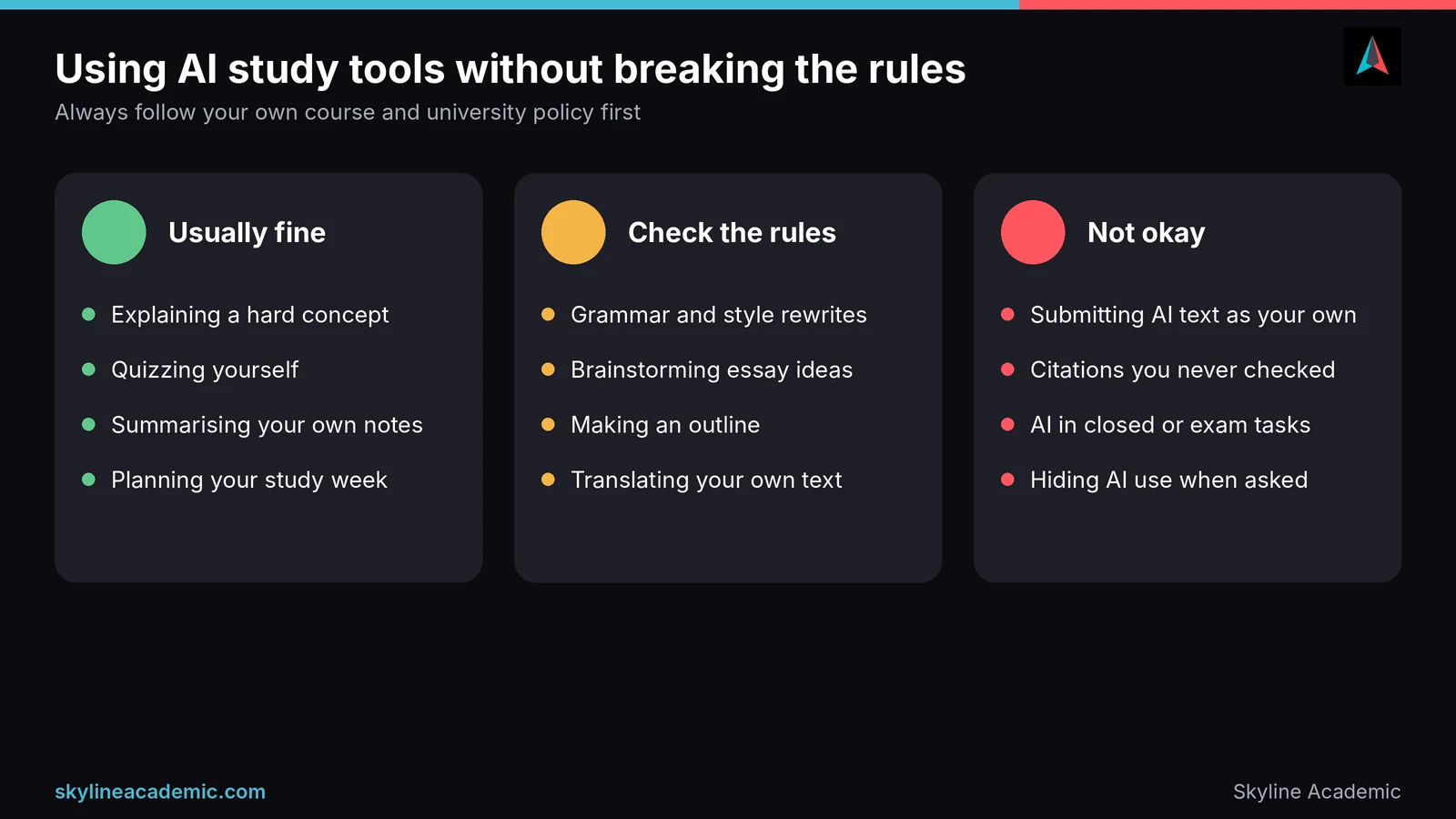
Here is a simple way to think about it. Using AI to understand something, quiz yourself or plan your week is usually fine. Using it to improve wording on your own draft sits in a grey area that depends on your course rules. Submitting text written by AI as if it were your own, using citations you never checked, or using AI in a closed assessment is not acceptable almost anywhere.
Three habits will protect you. First, save your drafts and notes so you can show how your work developed. Second, disclose AI use when your course asks you to, even if it feels awkward. Third, write the final version in your own words, from your own understanding. If you can explain every sentence out loud without looking at it, you are in good shape.
When AI tools are not enough
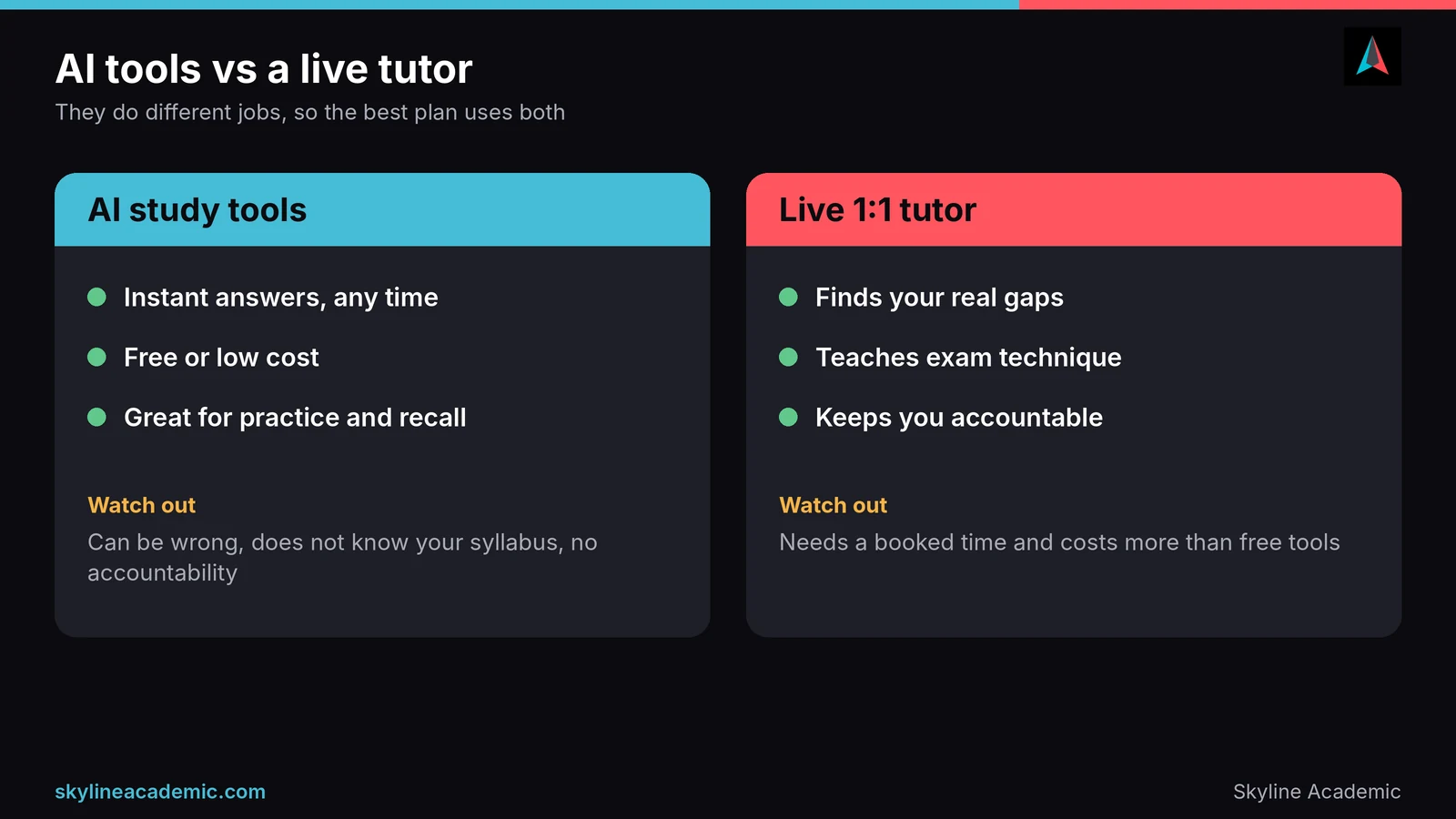
AI tools are excellent at practice and quick explanations, but they struggle where learning is personal. A chatbot cannot see that you keep losing marks on the same type of question. It does not know how your lecturer marks, and it cannot tell when you nod along without really understanding. It also cannot hold you accountable when you would rather watch a video than start revising.
That is where a human tutor makes the difference. A good tutor spots the exact gap, explains it in the way that works for you, teaches exam technique and checks your understanding by asking questions back. If you want to see how the two approaches compare, our guide to live tutoring vs self-study lays out when each one wins. The best results usually come from using both: AI tools for daily practice and a human for feedback.
A simple weekly routine that combines your tools
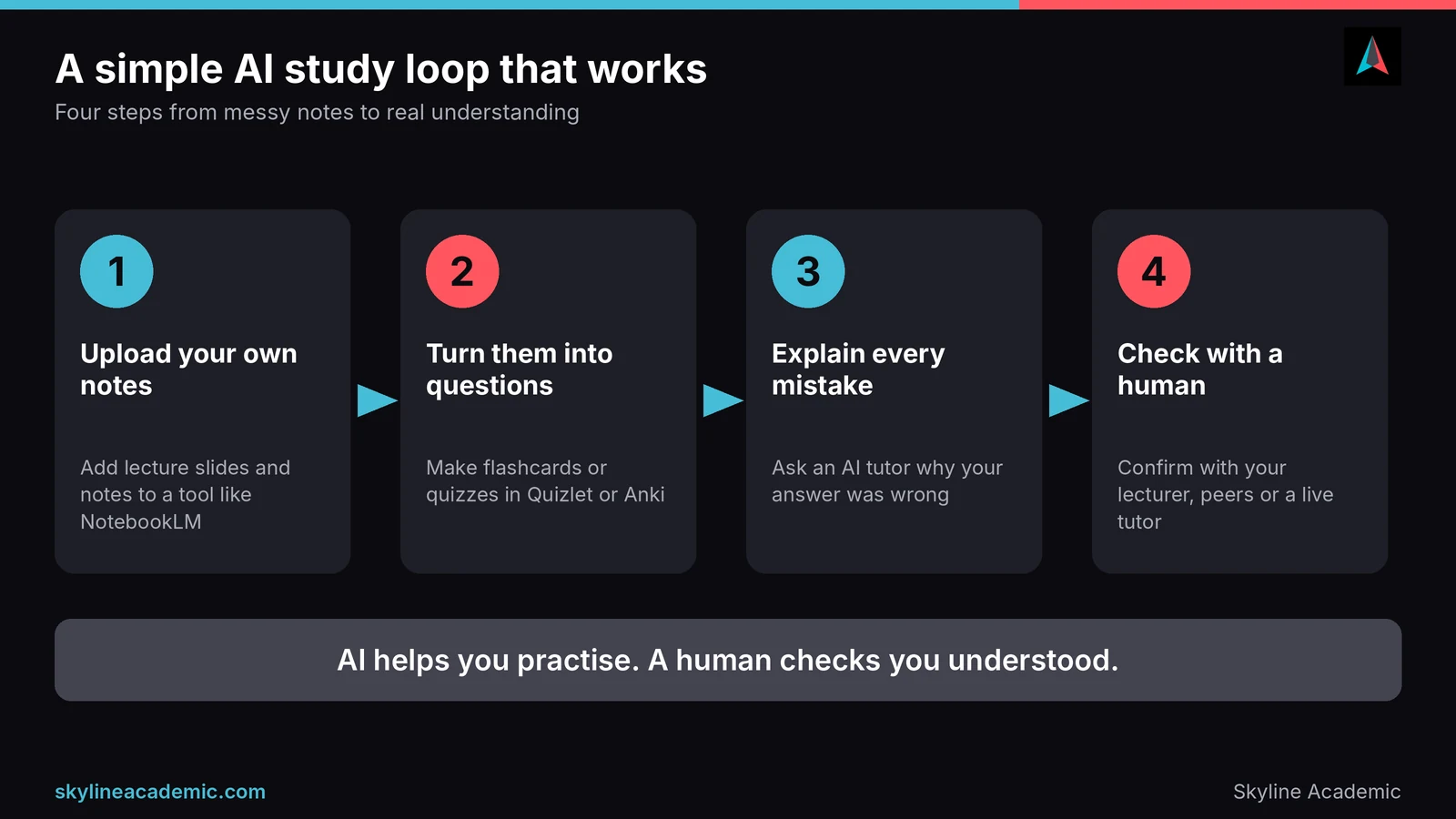
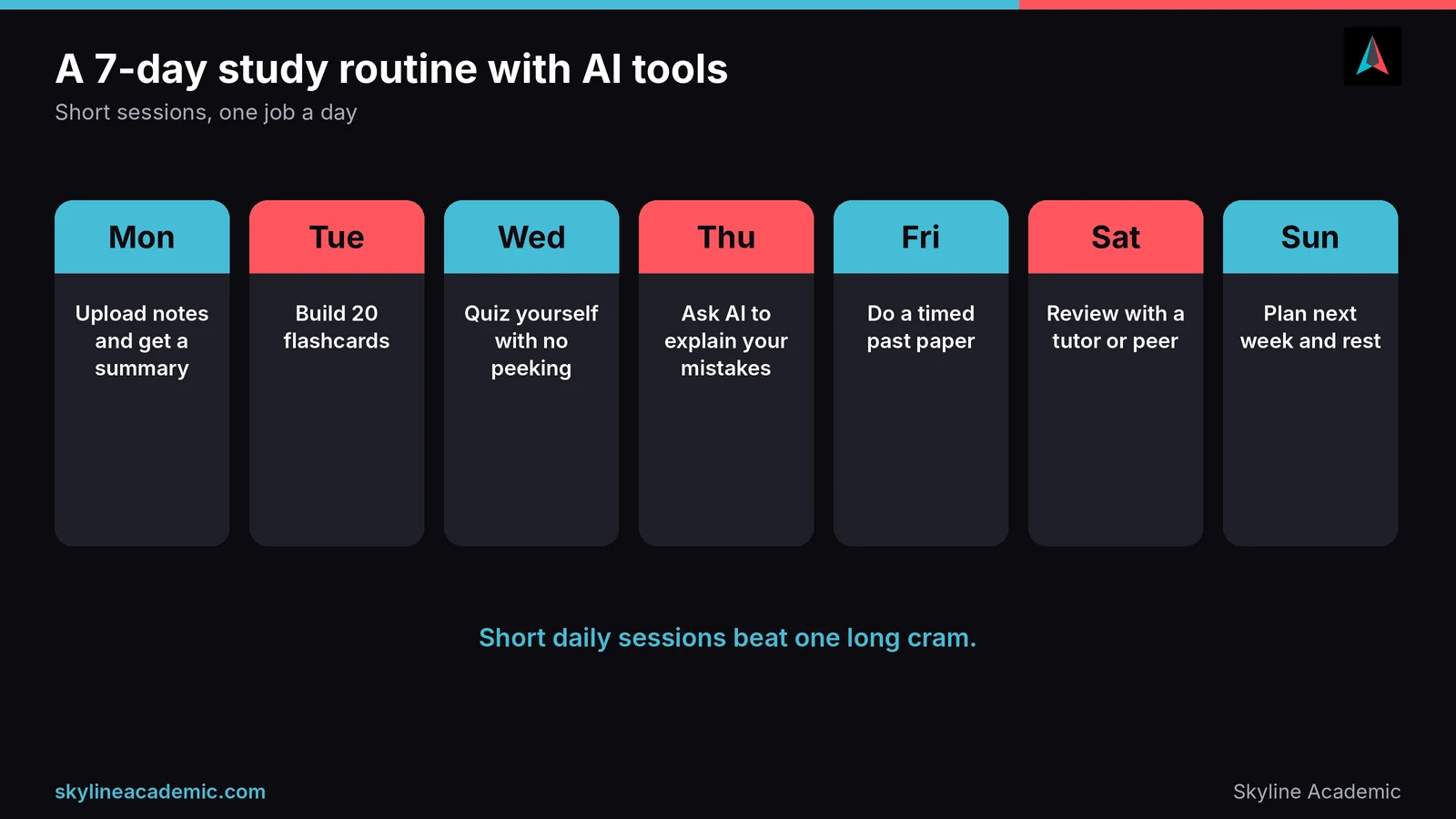
You do not need a complicated system. Here is a routine built around short sessions. On Monday, upload your notes to a tool like NotebookLM and ask for a summary of the week’s topics. On Tuesday, build about 20 flashcards from the material. On Wednesday, quiz yourself without looking at your notes. On Thursday, ask an AI tutor to explain every question you got wrong. On Friday, do a timed past paper. On Saturday, review your answers with a tutor, classmate or lecturer. On Sunday, plan the next week and take a proper break.
The pattern matters more than the exact tools. You learn, you test yourself, you correct mistakes, and you get human feedback. Repeat it weekly and your notes turn into knowledge instead of just a pile of files.
Still confused and need help?
If you have tried the tools above and still feel stuck, you are not failing. Many international students juggle a new language, new academic rules and new technology all at once, and an app cannot fix that alone. Skyline Academic is one of the leading 1:1 live tutoring platforms, built around a dedicated learning management system with progress tracking, quizzes, workshops and bootcamps. A tutor can look at your actual coursework, find what is holding you back and show you how to use AI tools the right way. You can explore live 1:1 tutoring at Skyline Academic and book a session when you are ready.
Frequently asked questions
What are the best AI-powered study tools for students?
The best choice depends on the job. NotebookLM works well for summaries and quizzes from your own notes, Quizlet and Anki for flashcards, ChatGPT, Gemini or Claude for explanations, and Grammarly for writing clean-up. Start with one tool per job.
Are there free AI study tools for students?
Yes. NotebookLM, Anki, Notion, Grammarly and Khan Academy all have free options, and the main chatbots offer free tiers with usage limits. Limits change, so check each tool’s current plan.
Which AI tool is best for exam revision?
Pair a flashcard tool such as Anki or Quizlet with a chatbot that quizzes you on your own notes. Testing yourself beats rereading, so avoid tools that only produce summaries.
Can AI study tools replace a tutor?
No. AI tools are great for practice and quick explanations, but they cannot see your recurring mistakes or teach exam technique the way a tutor can. Most students do best using both.
Is it cheating to use AI study tools?
Using AI to understand a topic, quiz yourself or plan your week is usually fine, but rules differ by course. Never submit AI-written work as your own, and always check your university policy.
Will my professor know if I use AI?
Some universities use detection software, though these tools are not perfectly reliable. The safer approach is to follow your course rules, keep your drafts and write in your own words.
Are AI study tools accurate?
Not always. They can give wrong answers and invent references with complete confidence. Check key facts against your textbook, lecture notes or library sources.
What is the best AI tool for taking notes?
NotebookLM is a strong choice because it works from your own uploaded sources, and Notion suits students who want notes and planning in one place. Both have free options.
How much time should I spend using AI tools to study?
Use them to support active study, not replace it. Short daily sessions that include self-testing work better than hours of reading summaries.
Can international students use AI study tools safely?
Yes, as long as they follow their university’s AI policy and check the facts. AI tools can help with explanations and language support, but a human tutor can help you spot gaps and build confidence.
Conclusion
AI-powered study tools can save you hours, but only if you give each one a clear job. Use NotebookLM for notes, Anki or Quizlet for memory, a chatbot for explanations, and a simple planner to keep you on track. Check every fact, never submit AI work as your own, and add human feedback when you get stuck. If you would like a tutor to help you build a routine that fits your course, Skyline Academic is here to help.