
If you are studying operations management, manufacturing systems, or process simulation, you may be expected to work with WITNESS as part of your coursework. For University of Liverpool postgraduate students, this is particularly relevant to the Operations Modelling and Simulation (EBUS504) module, where you may be given a factory, warehouse, or logistics case study and asked to develop a simulation model using the software. If you need help understanding the software or building your model, a WITNESS software tutor can provide 1:1 guidance tailored to your coursework.
WITNESS is a discrete event simulation tool developed by Lanner that allows you to create a digital representation of a real-world process and test how it performs under different conditions. Rather than relying only on spreadsheets or theoretical assumptions, you can use WITNESS to simulate production flows, identify bottlenecks, observe queues, and analyse how machines, resources, and buffers interact over time.
This guide covers everything you need to know about WITNESS as a student: what it does, why your university assigns it, how to get started, the features you will actually use, the mistakes almost every student makes, and where to get help when your model will not behave.
What WITNESS Is Used For
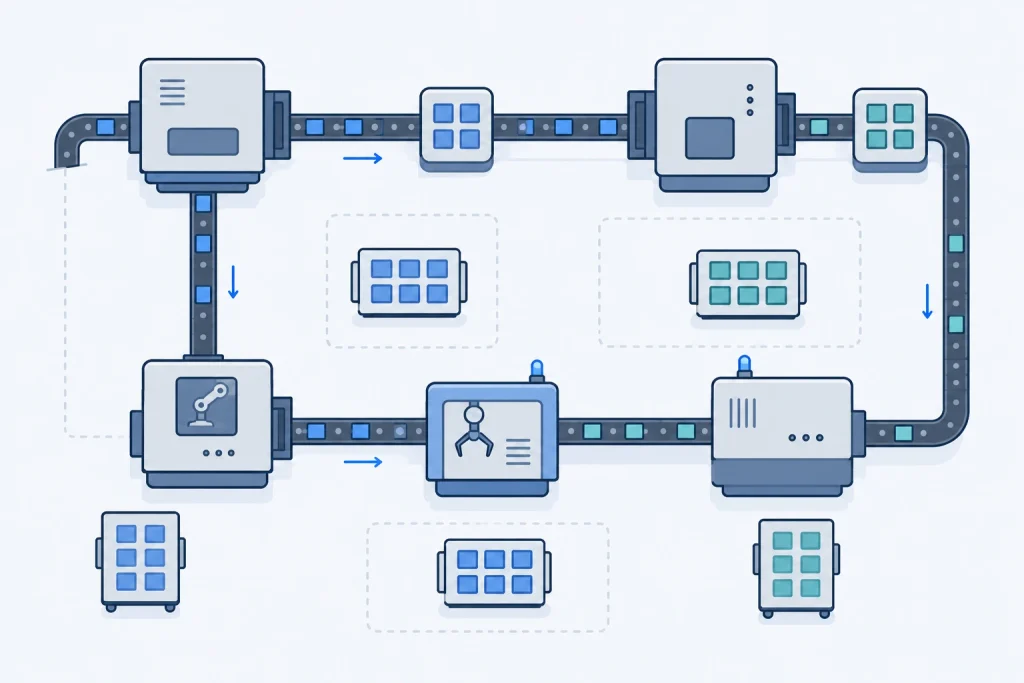
WITNESS falls into a category of software called discrete event simulation, which models systems as a sequence of events happening over time, rather than continuous equations. You build your model out of elements like machines, buffers, conveyors, and parts, connect them in the sequence your real process follows, and then run the simulation to see what happens.
Typical university assignments built around WITNESS include:
- Modelling a manufacturing line with multiple products, machines, and setup times to identify the production bottleneck
- Testing different buffer sizes and configurations to reduce material flow disruptions
- Building a Gantt chart of the production schedule and analyzing how the system reaches a steady state
- Comparing production plans against pricing or revenue targets to find the most profitable schedule
- Modelling queues and service processes outside manufacturing, such as healthcare or logistics operations
The value of the software is that it lets you test changes, like adding a machine or resizing a buffer, without touching a real production line, and see the actual downstream effect rather than guessing at it.
Why Universities Assign WITNESS
If you are wondering why your module suddenly expects you to learn a full simulation package on top of the theory, it usually comes down to a few consistent reasons.
WITNESS is one of the most established tools in the discrete event simulation space, with decades of use across manufacturing, logistics, and service industries, so learning it has genuine value beyond the module. It is also built specifically for visual, interactive modelling, which means you do not need a programming background to build a working model, unlike some simulation languages that expect you to code the logic from scratch. Universities also favor it because it makes abstract operations management concepts, like bottlenecks, buffer sizing, and steady state behavior, something you can actually see happen on screen rather than only read about in a textbook.
Operations modelling and simulation modules, particularly at the postgraduate level, frequently build assessed coursework around WITNESS for exactly this reason: it mirrors how real organisations test production and process decisions before committing capital to them. At the University of Liverpool Management School, for example, WITNESS is used alongside Vensim in modules like EBUS504, Operations Modelling and Simulation, where students are typically asked to model a manufacturing scenario, identify bottlenecks, and justify a buffer or production plan.
Getting Started with WITNESS
Unlike some free academic tools, WITNESS is typically provided through your university’s software license rather than a public download, so the exact setup process depends on your institution.
- Check your module handbook or virtual learning environment for the university’s licensed access to WITNESS, since most institutions provide it through a managed lab installation or a student license portal rather than a public installer.
- If remote access is provided, confirm whether you need a VPN or remote desktop connection to reach the licensed software, particularly if you are working off campus.
- Once you have access, open WITNESS and explore the Start Page, which typically gives you access to sample models and tutorials worth working through before your first real assignment.
- Familiarize yourself with the core element palette, machines, buffers, conveyors, and parts, since almost every assignment is built from combinations of these.
- Save early and often, and keep incremental versions of your model file, since debugging a broken model is far easier when you can compare it against an earlier working version.
If you cannot locate your university’s WITNESS access, your department’s IT support or module tutor is the right first point of contact rather than searching for a workaround installer.
Core Features You Will Actually Use
WITNESS is a large piece of software, but most student assignments lean on a consistent core set of tools.
- Machines, buffers, and conveyors are the building blocks of almost every model. Machines represent processing steps, buffers hold parts waiting between steps, and conveyors move parts between locations, and getting the sequence and capacities of these right is usually most of the work in a manufacturing assignment.
- The model run controls let you run your simulation continuously, step through it one event at a time, or batch run it without the visual display, which is useful once you trust your model and just need the output data quickly.
- Reports and charts summarize what happened during the simulation, including machine utilization, queue lengths, and throughput, and are usually what you will screenshot and analyze in your written report.
- The WITNESS Optimizer runs multiple simulation scenarios automatically to find the best configuration against a goal you define, such as maximizing output or minimizing buffer usage, which is useful for assignments that ask you to justify an optimal setup rather than just describe one.
WITNESS vs Other Simulation Tools
Students sometimes wonder how WITNESS compares to other simulation software they may have heard of, particularly if a different module uses a different tool.
| Tool | Modelling type | Typical use case |
| WITNESS | Discrete event simulation | Manufacturing, logistics, and process operations |
| Vensim PLE | System dynamics simulation | Feedback loops, inventory, and aggregate system behavior over time |
| Arena | Discrete event simulation | Similar use case to WITNESS, common in US universities |
The important distinction for coursework purposes is that WITNESS and Vensim solve different types of problems. WITNESS is built for modelling individual parts moving through discrete steps, such as a production line, while Vensim is built for modelling aggregate stocks and flows changing continuously over time, such as inventory levels. If your assignment brief mentions a Gantt chart, bottleneck, or buffer configuration, that is a WITNESS style discrete event problem. If it mentions causal loops, feedback, or stock and flow diagrams, that is a Vensim style system dynamics problem.
Common WITNESS Errors and Mistakes Students Run Into
Most of the frustration students report with WITNESS is not really about the software being unreliable. It is about a small set of recurring modelling mistakes that show up in almost every cohort.
| Issue | Typical cause | Quick fix |
| Model never reaches steady state | Simulation run length too short, or warm-up period not accounted for | Extend the run time and check results after the initial transient period has passed |
| Incorrect bottleneck identification | Utilization figures read in isolation without checking queue buildup upstream | Compare utilization and buffer content together, the true bottleneck usually shows sustained high utilization with a growing queue in front of it |
| Inconsistent units | Cycle times, setup times, and arrival rates entered in mismatched time units | Standardize every time-based input to the same unit, usually minutes, before building the model |
| Overcomplicated first model | Trying to build the entire process, including edge cases, before the core flow works | Build and test the simplest working version first, then add complexity in layers |
| Misreading buffer configuration results | Comparing buffer scenarios without holding other variables constant | Change one variable at a time when testing buffer configurations, otherwise you cannot isolate what caused the improvement |
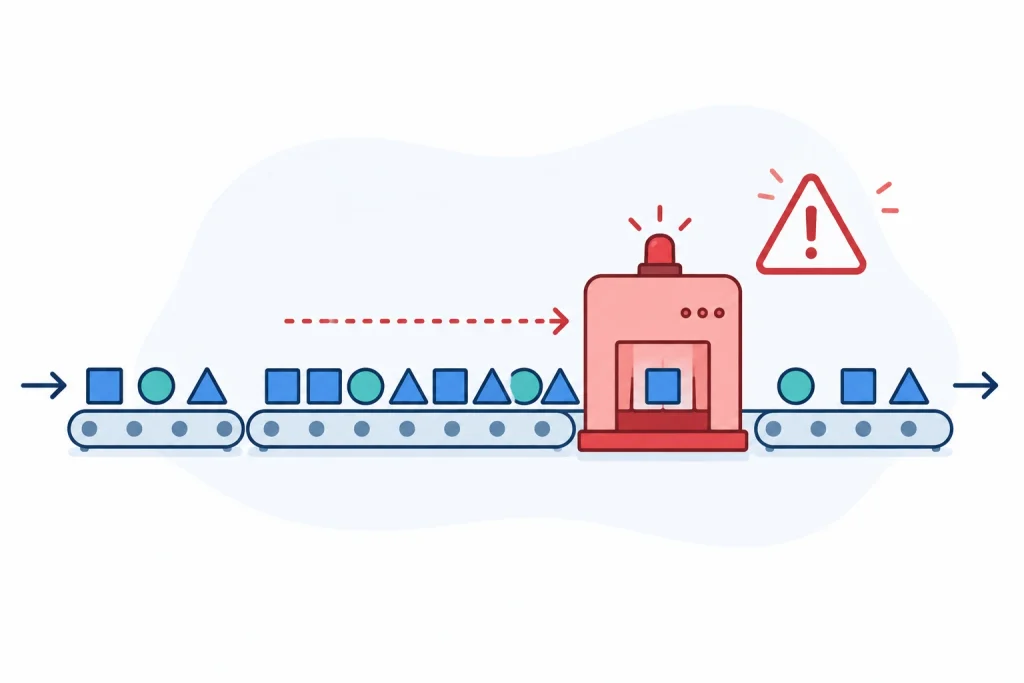
If you take one thing from this section, let it be this: identifying the bottleneck correctly is where most marks are won or lost. A high utilization number on its own does not prove a machine is the bottleneck, you need to see the queue building up in front of it as well before you can defend that conclusion in your report.
Building Your First Model Without Getting Overwhelmed
WITNESS assignments tend to go wrong not because the software is difficult, but because students try to build the full, realistic version of the process on the first attempt. A steadier approach is to build in layers.
Start with the simplest possible version of your process, one machine, one input, one output, and confirm it runs and produces sensible results. Then add the next machine or buffer and confirm the model still behaves correctly before adding the one after that. Trying to build a multi-product, multi-machine model with shared resources in one sitting is one of the most common reasons models become impossible to debug, since it is no longer clear which added element introduced the problem.
Keep a short log of your assumptions as you build, such as why you chose a particular buffer size or how you interpreted an ambiguous instruction in the brief. Markers frequently deduct marks for models that run cleanly but are not explained, since the assignment is usually testing your understanding of the system, not just your ability to produce a chart.
When to Troubleshoot Alone and When to Get Help
Small setup mistakes, like a mismatched unit or a missing connection between elements, are worth working through yourself. They build the debugging instincts you will need for the exam and for future assignments.
However, if your model runs but the results do not make sense, or you are unsure how to correctly identify the bottleneck or justify a buffer configuration in your written analysis, that is a different kind of problem. Structural modelling issues like these are much faster to resolve with someone who can look at your actual model than by guessing through forum threads that describe a different process entirely.
How Skyline Academic Helps
Most WITNESS help available online is written for professional modelers using the software commercially, not for a student working against a coursework deadline, or a Liverpool assignment brief specifically. Skyline Academic’s tutors are experienced specifically with operations and simulation coursework, including WITNESS assignments, and recognize the common failure patterns, like a misread bottleneck or an inconsistent buffer comparison, immediately, walking you through both the fix and the reasoning your report needs to defend it.

Every session is 1:1 live tutoring, not a group class or a recorded course, and it is shaped around your actual model, brief, and deadline rather than a generic tutorial. Whether you are stuck building your first working model or trying to justify an optimal configuration in your write-up, the session focuses on exactly where you are, not a fixed curriculum.
FAQs About WITNESS Software
What is WITNESS software used for?
WITNESS is discrete event simulation software used to build a working model of a real process, such as a production line or service operation, and simulate how it behaves over time. It is widely used to identify bottlenecks and test process changes before implementing them in reality.
Is WITNESS free for students?
WITNESS is typically not distributed as a free public download. Universities usually provide access through an institutional license, either in computer labs or through remote access, so check your module handbook for your specific setup.
What is the difference between WITNESS and Vensim?
WITNESS is discrete event simulation software for modelling individual items moving through processes, such as manufacturing. Vensim is system dynamics software for modelling aggregate stocks and flows, such as inventory levels, changing continuously over time.
Why does my WITNESS model never reach a steady state?
This usually means your simulation run length is too short, or you are not accounting for the initial warm-up period. Extend the run time and evaluate results after the early transient period has settled.
How do I identify the correct bottleneck in a WITNESS model?
Look at both machine utilization and queue length together. A true bottleneck shows consistently high utilization with a growing queue in front of it, not just a high utilization figure on its own.
Can WITNESS build a Gantt chart automatically?
WITNESS generates reports and charts based on your simulation run, which can be used to construct or support a Gantt chart of your production schedule, though the exact reporting format depends on how your model and outputs are set up.
What is the WITNESS Optimizer used for?
The Optimizer automatically tests multiple scenarios of your model against a goal you define, such as maximizing throughput or minimizing buffer usage, which is useful for coursework asking you to justify an optimal configuration.
Why do my buffer configuration results not make sense?
This is often caused by changing more than one variable between test runs, which makes it impossible to isolate what actually caused the change in results. Change one variable at a time when comparing scenarios.
Do I need programming experience to use WITNESS?
No. WITNESS is built around a visual, drag-and-drop modelling interface, though it does offer a scripting language for more advanced logic if your assignment requires it.
Does the University of Liverpool use WITNESS for operations modules?
Yes. The University of Liverpool Management School uses WITNESS alongside Vensim in postgraduate operations modules such as EBUS504, Operations Modelling and Simulation, typically for assignments involving production scheduling, bottleneck analysis, and buffer configuration.
Where can students get help with a WITNESS assignment?
Beyond your university’s own support resources and module tutor, working with a tutor experienced specifically in WITNESS and operations simulation coursework, such as through Skyline Academic’s 1:1 live tutoring, can resolve model-specific issues far faster than generic troubleshooting.
Final Thoughts
WITNESS has a learning curve, but almost every difficulty students face with it comes down to a predictable set of issues: an under-run simulation, a misread bottleneck, mismatched units, or a model that grew too complex too quickly. Building in layers and checking your assumptions as you go will get you through most assignments without much drama.
If you are working against a deadline and still stuck after trying the fixes above, getting a second set of experienced eyes on your actual model is often the fastest way through it.