
You’re three weeks into a MATLAB heavy semester, your SolidWorks assemblies are due Friday, and now a professor casually mentions that next term’s course assumes you already know Python. You’ve never written a line of it. If that sounds familiar, you’re not behind, you’re just one of thousands of engineering students hitting this exact wall right now. Here’s what Python actually is for engineers, how it stacks up against the tools you already use, and a simple way to actually learn it without it eating your entire semester.
Why Engineering Programs Are Suddenly Asking for Python
This isn’t a passing trend. On the TIOBE Index, which tracks how often programming languages are searched and discussed worldwide, Python has held the number one spot for several years running, while MATLAB sits much further down the list. That doesn’t mean MATLAB is going away from engineering classrooms, it’s still the standard for a lot of coursework, but it does mean employers increasingly expect engineering graduates to be comfortable in both.
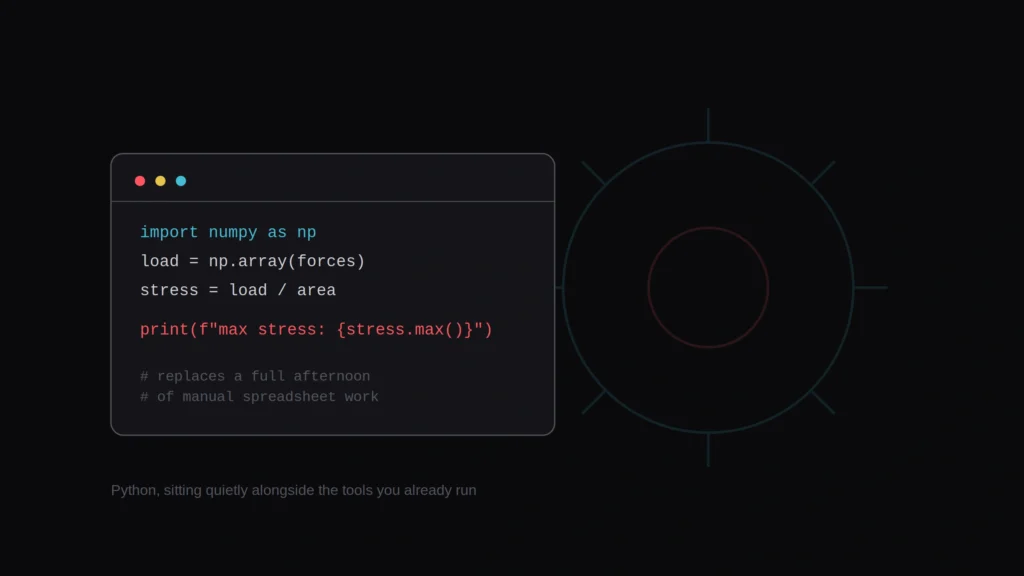
There’s a practical reason behind this shift too. Python is free, runs on basically any laptop, and has libraries built for almost every engineering task, from data analysis to control systems to machine learning. A department can teach it without every student needing a paid license, which matters more than it sounds like it should.
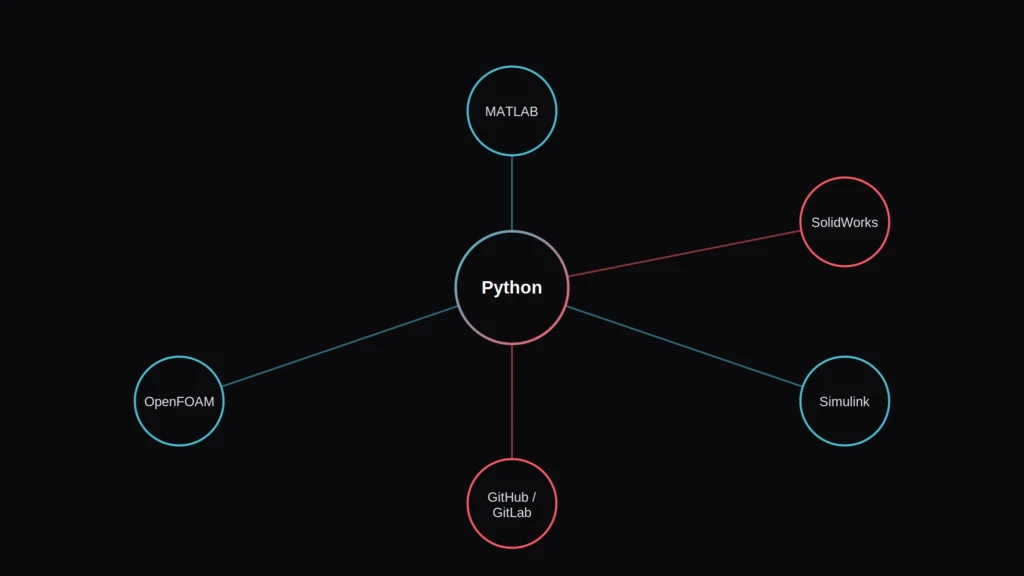
None of this makes Python a replacement for the specialized tools you already use. It’s better understood as the language that increasingly sits alongside them, automating the repetitive parts, connecting different tools together, and handling the kind of data work those tools weren’t built for.
Python vs the Engineering Tools You Already Use
Before going further, here’s a quick side by side of how Python actually relates to the software most engineering students already have installed.
| Tool | What it’s built for | Where Python fits in |
| MATLAB | Matrix math, control systems, signal processing | A free, general purpose alternative for the same numerical work, with a steeper learning curve up front |
| SolidWorks | 3D CAD modeling and mechanical design | Python can automate repetitive modeling tasks through SolidWorks’ own scripting API |
| Simulink | Block diagram simulation, often paired with MATLAB | Python can run alongside Simulink for data analysis, or replace parts of a simulation workflow entirely |
| GitHub / GitLab | Version control and collaboration on code | Python is the language most engineering student projects actually get version controlled in |
| OpenFOAM | Computational fluid dynamics (CFD) simulation | Python is commonly used to script, automate, and post-process OpenFOAM simulation results |
Key Python Libraries Every Engineering Student Should Know
Part of what makes Python approachable is that you rarely write everything from scratch. A handful of libraries cover almost everything an engineering course will actually ask for.
| Library | What it does | Where you’d use it |
| NumPy | Array and matrix operations, the backbone of numerical computing in Python | Replacing MATLAB-style matrix math for free |
| Matplotlib | Plotting and visualizing data | Turning raw simulation or lab data into readable graphs |
| pandas | Handling structured, spreadsheet style data | Cleaning and analyzing lab or sensor datasets |
| SciPy | Advanced engineering math: optimization, signal processing, differential equations | Tasks that go beyond basic NumPy, closer to what a MATLAB toolbox handles |
| PyVista | 3D visualization | Viewing CFD or FEA simulation results |
The Real Problems Engineering Students Run Into With Python
Most of the frustration isn’t really about Python itself, it’s about the situation students are dropped into. Worth naming these plainly, one at a time, since half the battle is realizing the struggle is normal, and knowing exactly what to do about each one.
Problem 01: You’re Starting With Zero Programming Background
Unlike computer science majors, most engineering students haven’t touched a real programming language before, so even basic concepts like loops, functions, and data types take longer to click. That’s not a personal failing, it’s just a genuinely different starting point than the course sometimes assumes.
What to do: Give yourself permission to move slower through the first two weeks than a CS major would. Focus only on syntax and logic before touching any engineering specific library, since trying to learn both at once is what actually causes the overwhelm.
Problem 02: Error Messages That Look Like a Foreign Language
Python’s error messages are more helpful than most languages once you know how to read them, but at first they just look like a wall of red text.
What to do: Read the last line of the error first, not the top. That’s almost always where Python tells you the actual problem, everything above it is just the trail of how it got there.
Problem 03: Installation and Environment Setup Eating an Entire Evening
Getting Python, the right libraries, and an editor all working together is a genuinely common first hurdle, one that has nothing to do with actual engineering skill and everything to do with software configuration nobody explained clearly.
What to do: Use a single all-in-one distribution like Anaconda instead of installing Python and each library separately. It handles most of the version conflicts that cause a first setup attempt to fail.
Problem 04: Too Many Libraries, No Clear Starting Point
NumPy, pandas, Matplotlib, SciPy, and a dozen others all show up in tutorials with no explanation of which one you actually need for your assignment. Not knowing where to start is one of the biggest reasons students give up in the first two weeks.
What to do: Start with just NumPy and Matplotlib. Together they cover the large majority of what an intro engineering course actually assigns, and everything else can wait until a specific task calls for it.
Problem 05: Not Seeing How Python Actually Connects to the Tools You Already Use
A lot of students learn Python in isolation, as a standalone course, with no context for how it relates to MATLAB, SolidWorks, or whatever else they’re already using, which makes it feel like pointless extra work rather than a skill that fits into their actual major.
What to do: Deliberately connect a Python exercise to something from your major coursework, even loosely, plotting a dataset from a lab, for example, instead of a generic textbook example. It makes the practice stick.
Problem 06: Losing Work or Breaking a Group Project Without Version Control
A lot of engineering students never learn version control at all, then end up emailing files named “final_v3_ACTUAL.py” back and forth on a group project, or losing hours of work overwriting a teammate’s changes by accident.
What to do: Learn just enough basic Git, commit, push, pull, to save your work and collaborate safely. You don’t need to understand branching strategies in year one, just the handful of commands that prevent lost work.
Problem 07: Real Time Pressure on Top of an Already Full Course Load
Learning a new language while carrying a full engineering schedule is genuinely hard, and it’s easy to fall behind quietly rather than ask for help.
What to do: If you’re tempted to lean on an AI tool to just generate the code or the lab report for you under that pressure, it’s worth checking your work against a free AI content detector first, since plenty of engineering courses now treat undisclosed AI generated code and reports as an academic integrity issue, not just a shortcut.
How Python Actually Fits Alongside MATLAB, SolidWorks, Simulink, GitHub, and OpenFOAM
Python and MATLAB
MATLAB remains genuinely excellent for matrix operations and has toolboxes built specifically for control systems and signal processing that Python doesn’t replicate out of the box. Python’s NumPy and SciPy libraries cover a lot of the same numerical ground for free, and the syntax, once you’re past the first few weeks, is arguably simpler. Cost is a real factor here too. MathWorks’ own student pricing page lists a student suite that includes Simulink for under 100 dollars a year, while a standard individual license outside a degree program runs closer to 900 dollars a year, which is exactly why so many students end up learning both: MATLAB for coursework that requires it, Python for everything else.
Python and SolidWorks
SolidWorks isn’t something Python replaces, it’s a CAD tool built for 3D modeling that doesn’t have a real substitute. Where Python comes in is automation: SolidWorks has its own scripting API that Python can hook into, letting you automate repetitive design changes across dozens of parts instead of clicking through the same steps by hand.
Python and Simulink
Simulink’s block diagram approach to simulation is genuinely useful for visualizing systems, and most control systems courses are built around it. Python can run alongside it for the data analysis and plotting Simulink isn’t built for, and for some simpler simulations, Python libraries can replace Simulink entirely once you’re comfortable with both.
Python and GitHub or GitLab
This is less about competing tools and more about a skill gap. A lot of engineering students never learn version control at all, then end up emailing files named “final_v3_ACTUAL.py” back and forth on a group project. Python is the language most student coding projects actually live in, so learning basic Git alongside it, even just enough to save your work and collaborate without overwriting a teammate’s changes, pays off fast.
Python and OpenFOAM
OpenFOAM handles the heavy computational fluid dynamics work itself, but setting up cases and making sense of the output afterward is often done through Python scripts. If you’re heading into any mechanical or aerospace track that touches CFD, knowing enough Python to script and post-process OpenFOAM results is quickly becoming a practical expectation rather than a bonus skill.
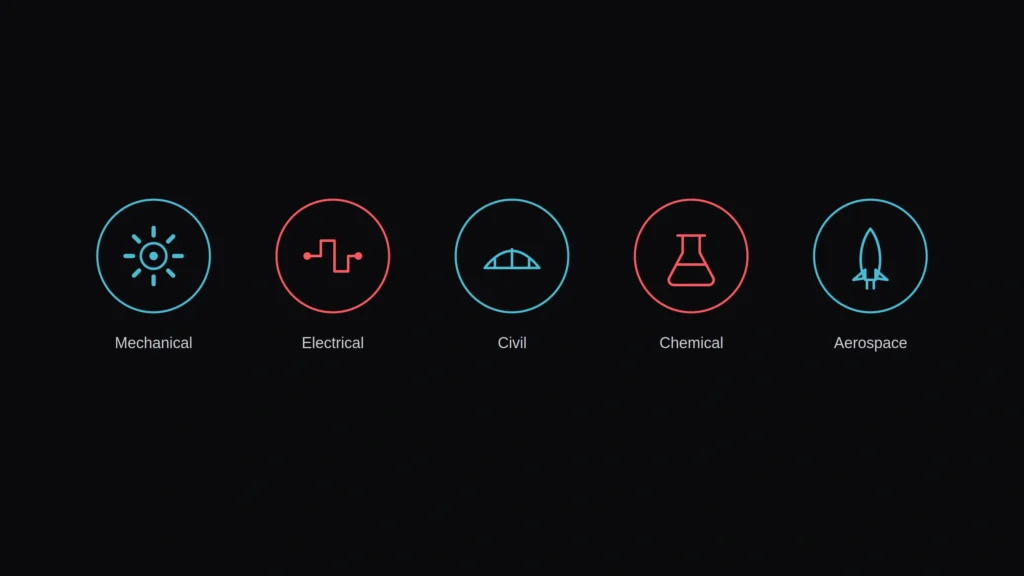
What Python Looks Like, By Engineering Discipline
How much Python you actually need, and for what, changes a lot depending on your specific major.
Mechanical Engineering
Python shows up in automating repetitive SolidWorks tasks, processing sensor or test data, and increasingly in CFD workflows alongside OpenFOAM. It’s less central to daily coursework than MATLAB, but shows up constantly in senior design projects and internships.
Electrical and Computer Engineering
This is usually where Python shows up earliest and most heavily, often overlapping directly with computer science coursework. Signal processing, embedded systems scripting, and control system prototyping all lean on Python libraries alongside, or sometimes instead of, MATLAB.
Civil Engineering
Python use here tends to center on data analysis, structural calculation automation, and increasingly, geographic information system work. It’s less universally required than in electrical tracks, but shows up more every year as firms automate repetitive design checks.
Chemical Engineering
Process simulation, reaction kinetics modeling, and data heavy lab work are where Python earns its place here, often working alongside specialized process simulation software rather than replacing it outright.
Aerospace Engineering
Between trajectory and orbital mechanics calculations, CFD work through OpenFOAM, and the sheer volume of simulation data aerospace projects generate, Python’s data handling and automation strengths get used constantly, often as the glue between several other specialized tools.
Python and Your Engineering Career
This isn’t just a classroom exercise. Look through mechanical, aerospace, or electrical internship postings and it’s increasingly common to see Python listed as “preferred” right alongside SolidWorks, MATLAB, or ANSYS, even for roles that aren’t software focused at all. A few years ago that line rarely showed up outside computer science or software engineering postings.
The reason tracks with everything covered so far. Engineering work increasingly involves automating repetitive design tasks, processing large sets of sensor or simulation data, and connecting specialized tools together, all things Python is genuinely good at. Graduating with even basic Python fluency signals to an employer that you can do that connective work yourself instead of needing a dedicated software engineer for every small automation task.
You don’t need to become a software engineer to benefit from this. Even a working, practical level of Python, enough to automate a repetitive task or clean up a messy dataset, is often the differentiator between candidates with otherwise similar coursework and GPA.
A Simple Way to Start Learning Python as an Engineering Student
You don’t need a computer science level deep dive to get useful with Python fast. A realistic starting path looks something like this:
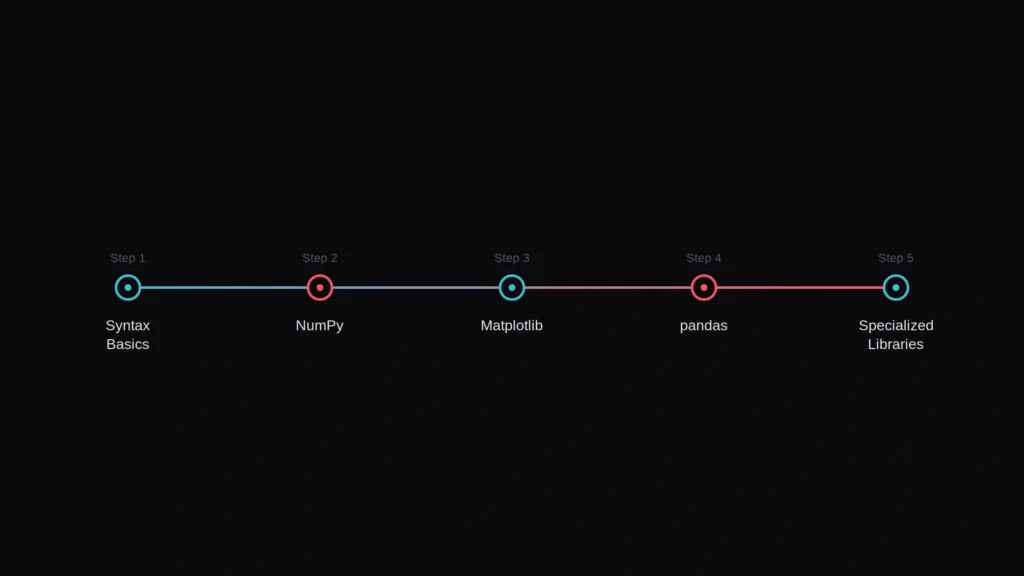
- Get comfortable with basic syntax first: variables, loops, functions, and how to read an error message before touching any engineering specific library
- Learn NumPy for array and matrix operations, since it covers most of what you’d otherwise reach for MATLAB to do
- Add Matplotlib for plotting results, since seeing your data visually makes debugging dramatically easier
- Pick up pandas once you’re working with any kind of structured data or spreadsheet style output
- Only move into specialized libraries, like SciPy for engineering math or tool specific APIs, once the basics feel steady
Trying to learn all of this from scattered tutorials while also keeping up with a full course load is exactly where most students burn out. If the syntax itself, not just the engineering concepts, is what’s slowing you down, working through it with computer science tutoring support can cut weeks off that learning curve, since a tutor can catch the small misunderstandings that turn into hours of confused debugging otherwise.
How Skyline Academic Can Help
Struggling with Python usually isn’t an isolated problem, it’s tangled up with the rest of a demanding engineering course load. Skyline Academic offers STEM tutoring support built around exactly this kind of situation, where a Python assignment, a MATLAB lab, and a design project all land in the same week.
Support is delivered 1:1 rather than through generic pre-recorded content, so sessions can actually follow whatever you’re stuck on that week, whether that’s debugging a specific script, understanding a library, or connecting Python to a tool like SolidWorks or OpenFOAM you’re already using in coursework.
Frequently Asked Questions
Do engineering students really need to learn Python?
Increasingly, yes. Most engineering programs now expect at least basic Python alongside tools like MATLAB, since employers commonly expect graduates to be comfortable in both by the time they enter the workforce.
Is Python harder to learn than MATLAB for engineers?
Python has a steeper learning curve in the first few weeks since it’s a general purpose language, not one built specifically for engineering math. Most students find it easier than MATLAB once past the initial setup and syntax stage.
Can Python replace MATLAB completely for engineering coursework?
Not entirely. MATLAB still has specialized toolboxes for control systems and signal processing that Python doesn’t fully replicate, so most engineering students end up using both rather than switching entirely.
What Python libraries should engineering students learn first?
Start with NumPy for array and matrix math, Matplotlib for plotting, and pandas once you’re handling structured data. These three cover most of what engineering coursework actually asks for early on.
How long does it take an engineering student to learn Python basics?
Most students can handle basic syntax and simple scripts within a few weeks of consistent practice, though becoming comfortable enough to use it confidently in coursework usually takes a full semester of regular use.
Does SolidWorks use Python for automation?
Yes, SolidWorks has its own scripting API that Python can connect to, which lets students and engineers automate repetitive modeling tasks instead of repeating the same manual steps across multiple parts.
Is Python or MATLAB better for a mechanical engineering student?
MATLAB is often still required for specific coursework, but Python’s free cost and general purpose libraries make it worth learning alongside it, especially for automation and data heavy senior design projects.
Why do engineering students need to learn GitHub if they’re not computer science majors?
Version control prevents the common group project problem of emailing files back and forth and accidentally overwriting a teammate’s work. Python projects especially tend to live in GitHub or GitLab once courses move past single file scripts.
Is it normal to struggle with Python as an engineering student?
Very normal. Most engineering students start with no programming background at all, unlike computer science majors, so the early struggle with syntax and error messages reflects the starting point, not a lack of ability.
How is Python used in computational fluid dynamics with OpenFOAM?
OpenFOAM handles the core CFD simulation, while Python is commonly used to set up simulation cases, automate repetitive runs, and process the resulting data afterward, which is why it shows up so often in mechanical and aerospace CFD work.
What Python library should I learn first as an engineering student?
Start with NumPy for array and matrix math, then add Matplotlib for plotting. Together they cover most of what an intro engineering course actually assigns, before you need anything more specialized.
Do engineering internships actually require Python skills?
Increasingly yes, even for roles that aren’t software focused. It’s now common to see Python listed as preferred alongside tools like SolidWorks or MATLAB on mechanical and aerospace internship postings.
The Bottom Line
Python isn’t replacing MATLAB, SolidWorks, Simulink, or any other tool already sitting in your engineering curriculum, it’s becoming the language that connects them and handles the work they weren’t built for. The struggle most students feel in the first few weeks is a starting point problem, not a sign you’re not cut out for it. Start with the basics, add one library at a time, and let it grow alongside the tools you already know rather than trying to learn everything at once.